Trips
The **Trips ** is used to create actual shipment transport trips based on predefined routes in the Line Haul system, in order to transfer shipments between branches.
How to Create a Trip:
-
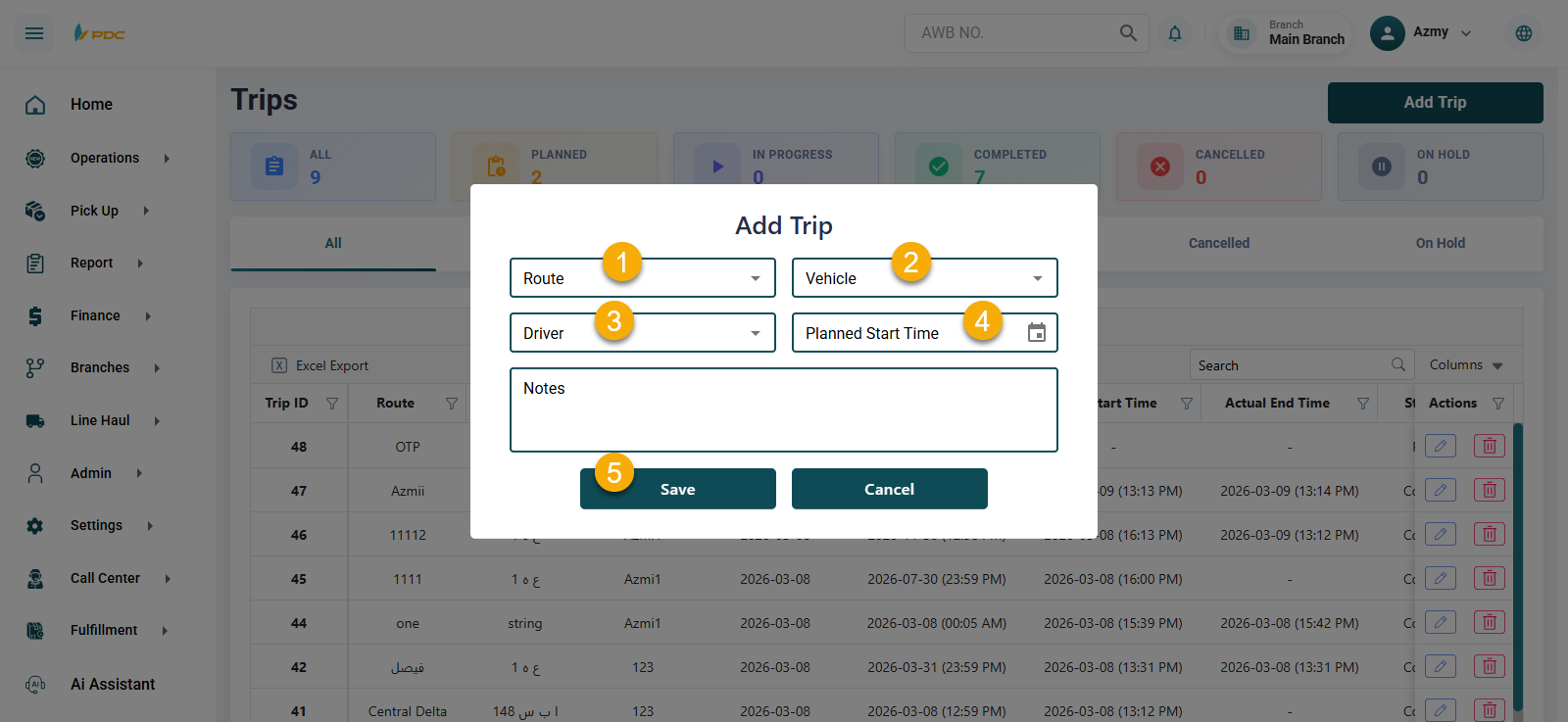
Click on Add Trip.
-
Enter the required data:
- Route
- Vehicle
- Courier
- Planned Start Time
-
Click Save to create the trip.
You can also edit or delete the trip using the action buttons in the Actions column.
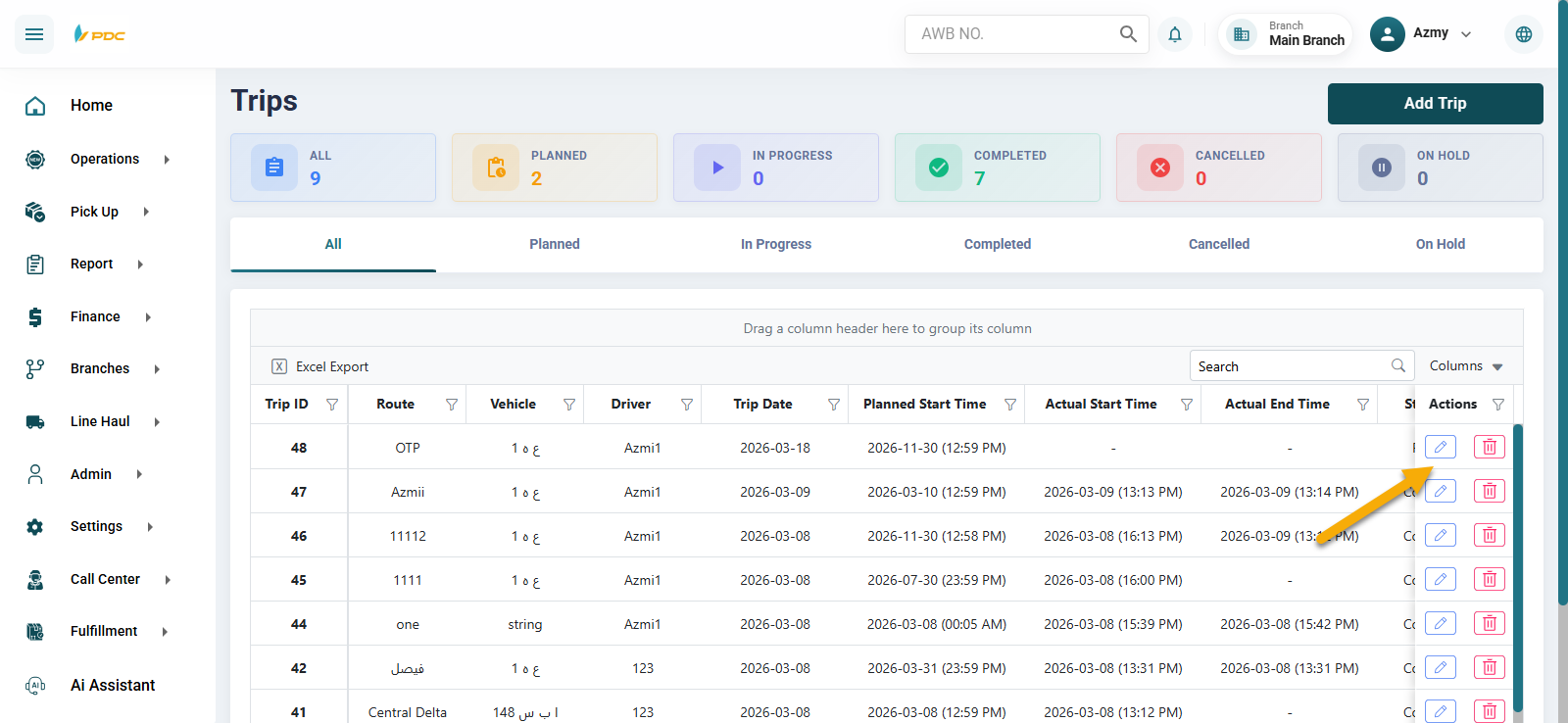
Trip Details
By clicking on the Trip ID, you will be redirected to the trip details page, where you can record the arrival and departure times for each stop in the route.
Recording Arrival and Departure Times
The timings are recorded as follows:
First: Recording Arrival Time
- Select the branch based on the route.
- Enter the arrival time.
- Click Confirm.
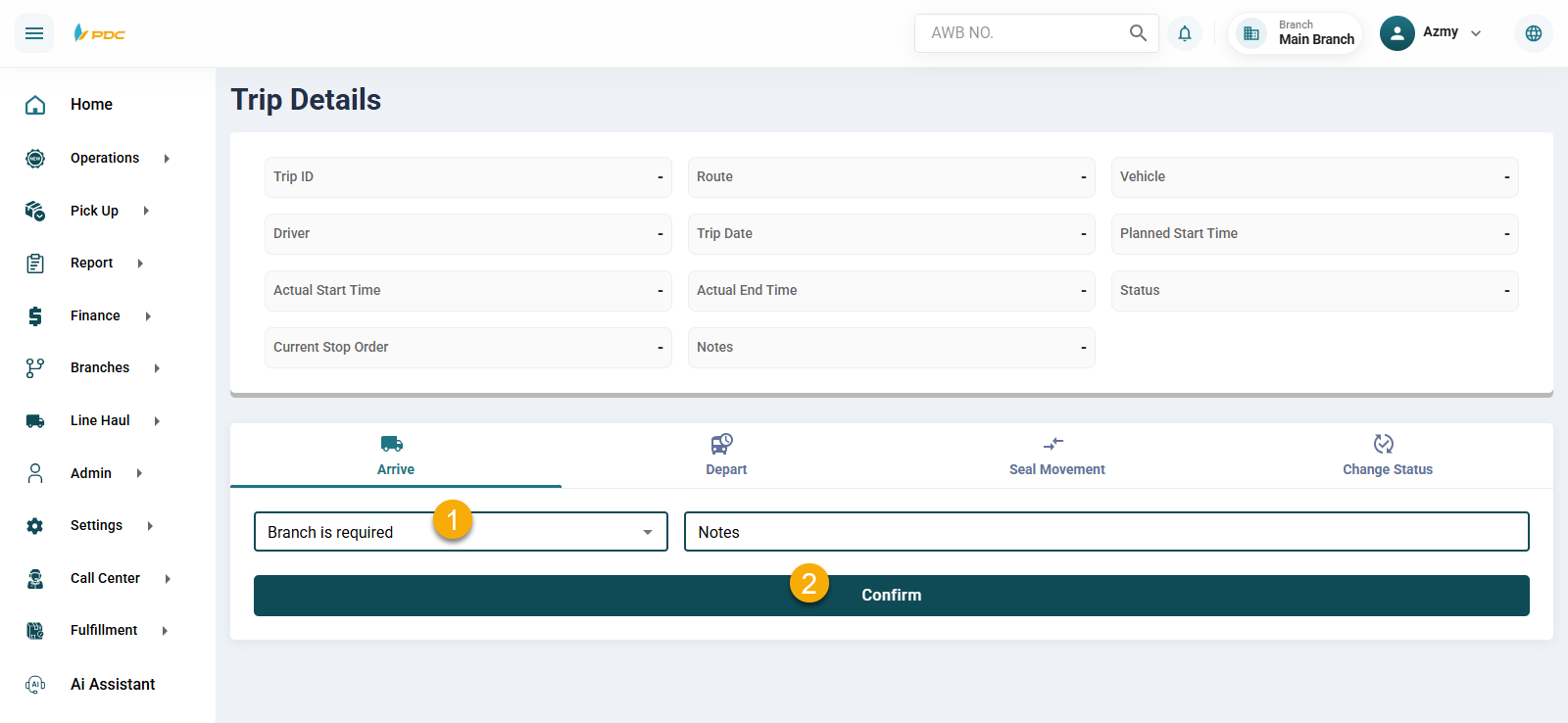
The arrival time will then be recorded and displayed on the Dashboard.
Second: Recording Departure Time
- Select the same branch again.
- Enter the departure time.
- Click Confirm.
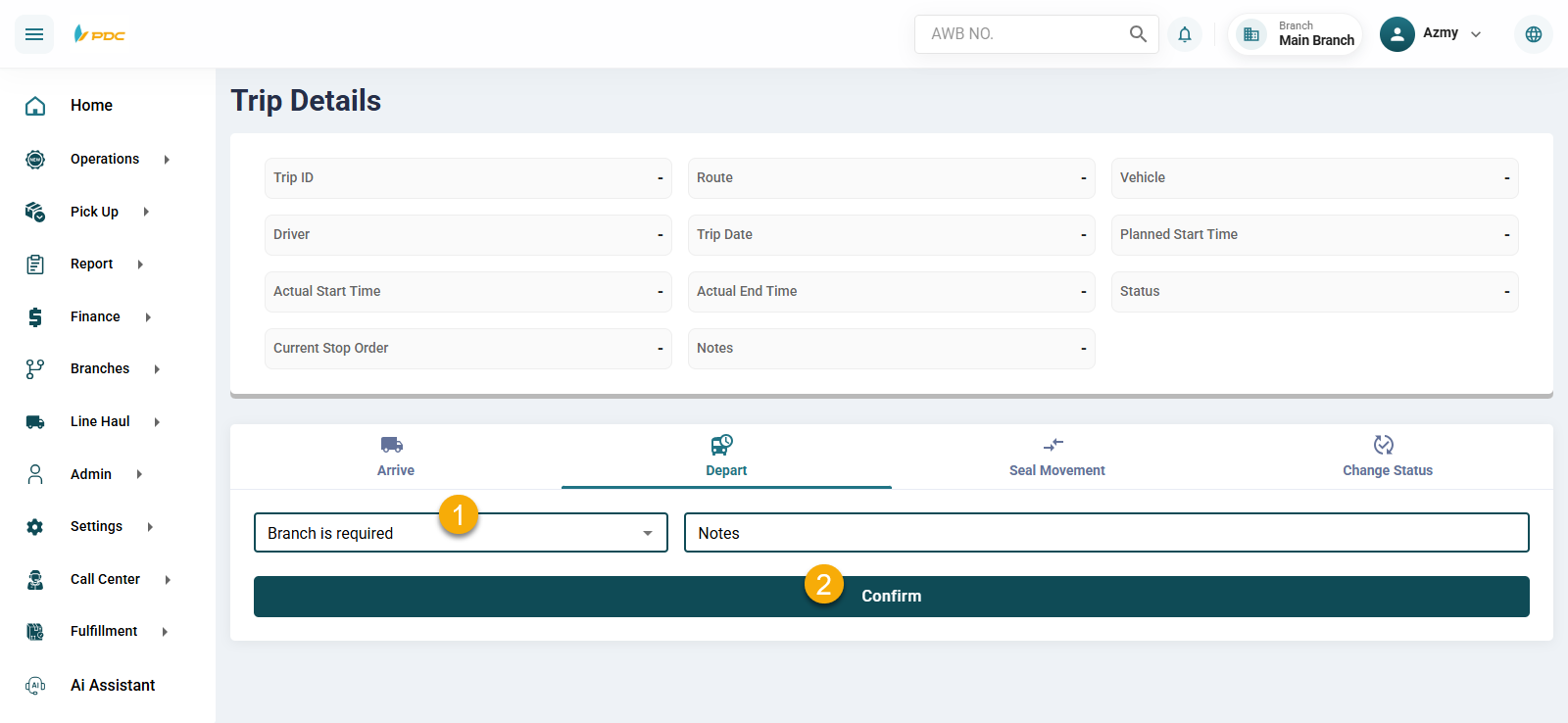
The departure time will then be successfully recorded.
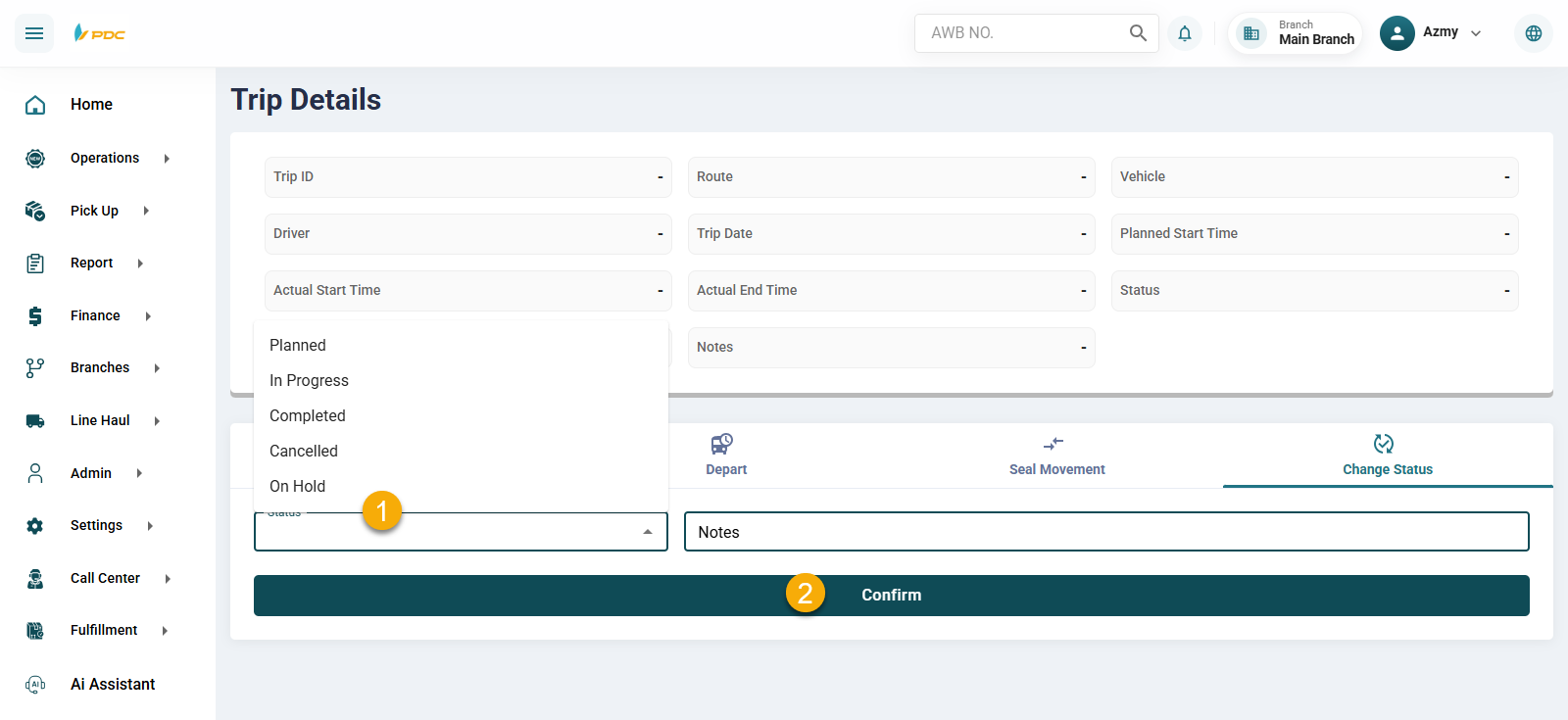
Trip Status
The trip status can be updated based on the workflow to:
- Planned
- In Progress
- Completed
- Cancelled