Users And Branches Auth
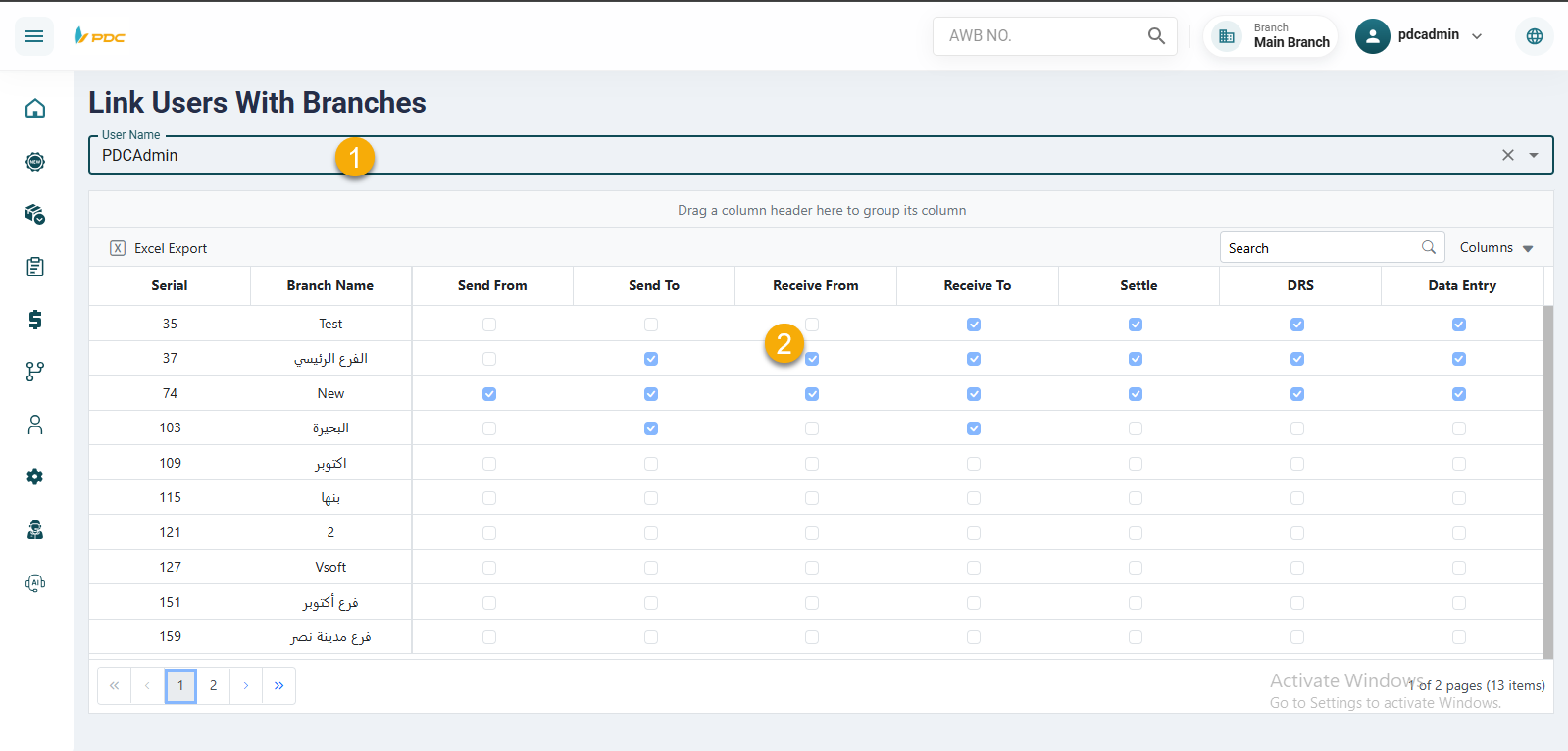
The Users And Branches Auth screen is used to assign specific branch permissions to system users.
Through this screen, you can:
-
Link users to specific branches, allowing them to:
- Send shipments from and to the assigned branches.
- Receive and process shipments related to those branches.
-
Associate users with branch couriers via DRS, enabling them to manage and monitor courier distribution operations for those branches.
How to Use
- Select the user you want to grant permissions to.
- Choose the branches you want to link to the user.
- Enable the required permissions by checking the corresponding boxes for each branch.
- Save the changes to apply the permissions immediately.
Group-to-Branch Assignment
In addition to assigning permissions to individual users, the system allows assigning entire user groups to specific branches through the Group Name page.
Through this feature, you can:
-
Link a full group of users to selected branches in one step.
-
Define common permissions for the group, including:
- Shipment sending and receiving operations.
- Shipment distribution to runners.
- Performing and managing settlement operations.
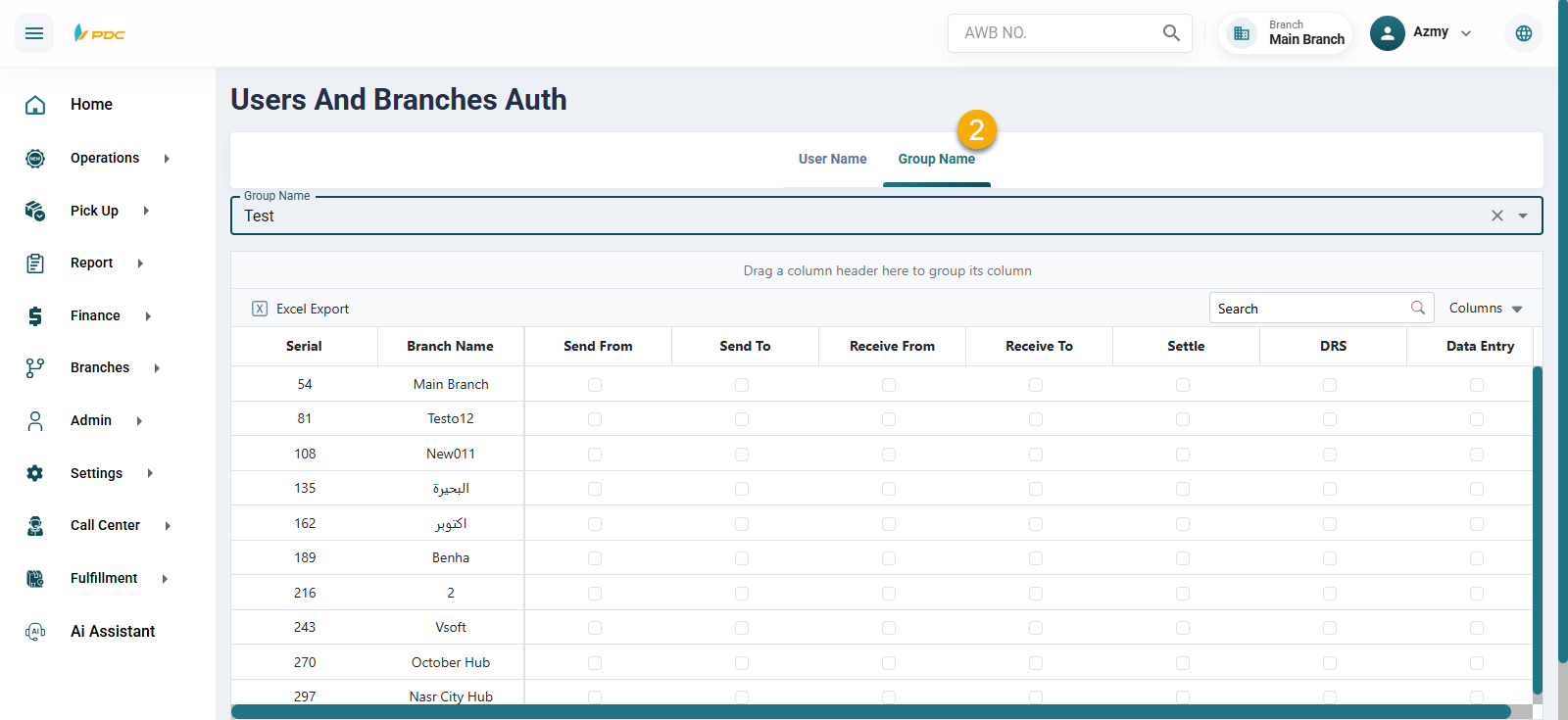
This approach helps simplify permission management within the system, especially when handling a large number of users, as the same permissions are applied to all group members linked to the selected branches without the need to configure each user individually.
This screen helps ensure proper access control by allowing users to work only with the branches and couriers they are authorized to manage.