AWB Status Tracking
The AWB Status Tracking page is designed to display all shipment statuses within a defined time period.
You need to enter the AWB number or a set of AWB numbers you want to track, then select the start date and end date, and click the Show button.
You can also use filters to refine results based on system user, courier, or status, so that only shipments matching your selection are displayed.
Access
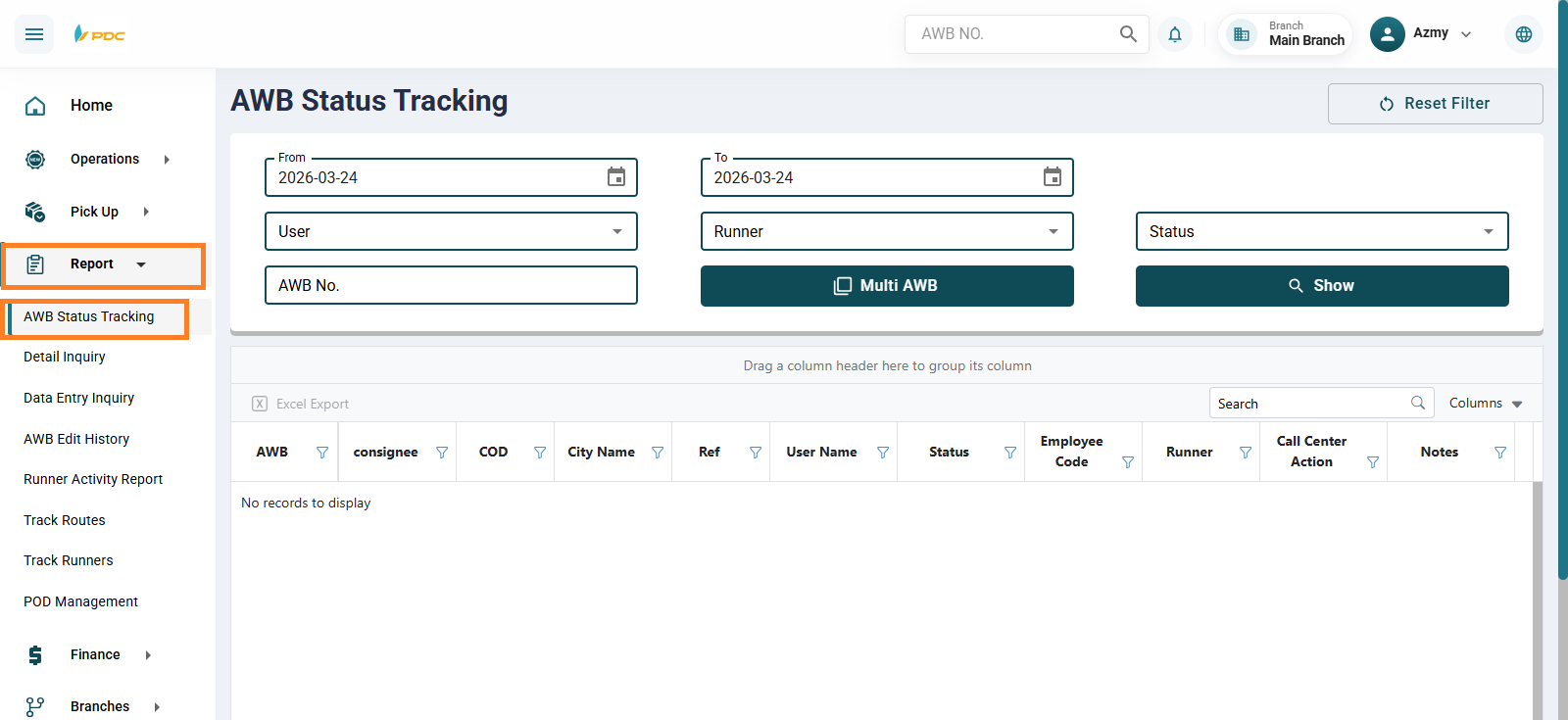
From the Reports menu, select the AWB Status Tracking tab.
Available Search Options
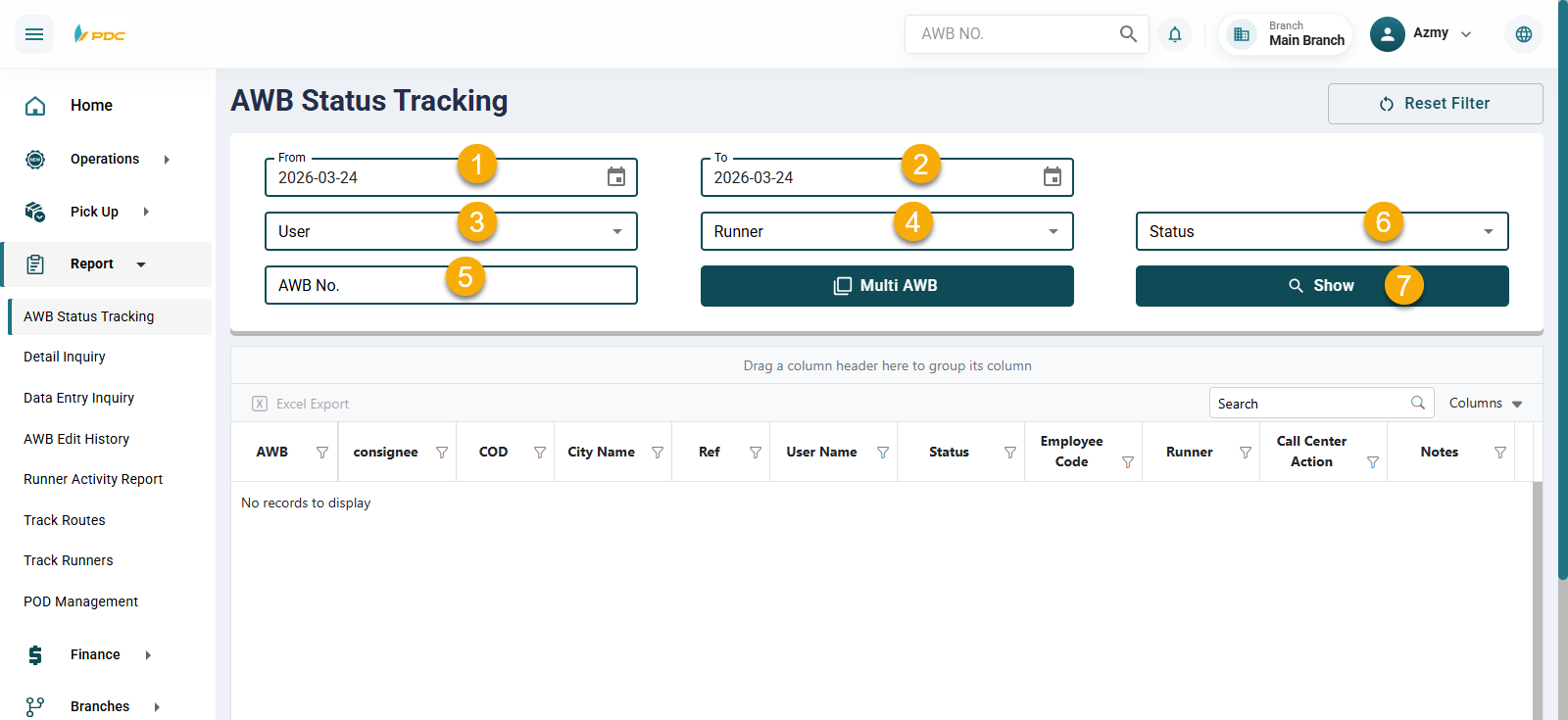
-
AWB Number (Required) — The main field for entering the shipment number to be tracked. To track multiple shipments, click the Multi AWB button and enter all the AWB numbers you want to monitor.
-
Date Range (Required) — Select the start date and end date for the search.
The remaining fields are optional and can be used for filtering as needed.
- User — Select the system user.
- Runner — Select the responsible courier.
- Status — Select the shipment status from the list.
- Show — Click this button to display results.
- Results Table — The section where results will appear. The table shows several columns detailing shipment statuses. A single shipment may have multiple rows, where each row represents an action or update related to the shipment’s status.