Runner Activity Inquiry
The Runner Activity Inquiry screen allows you to track a courier’s activity during a specific time period. You can also view the activities of couriers assigned to a specific branch within a defined time frame.
Access
From the Reports menu, select the Runner Activity Inquiry tab.
Available Options
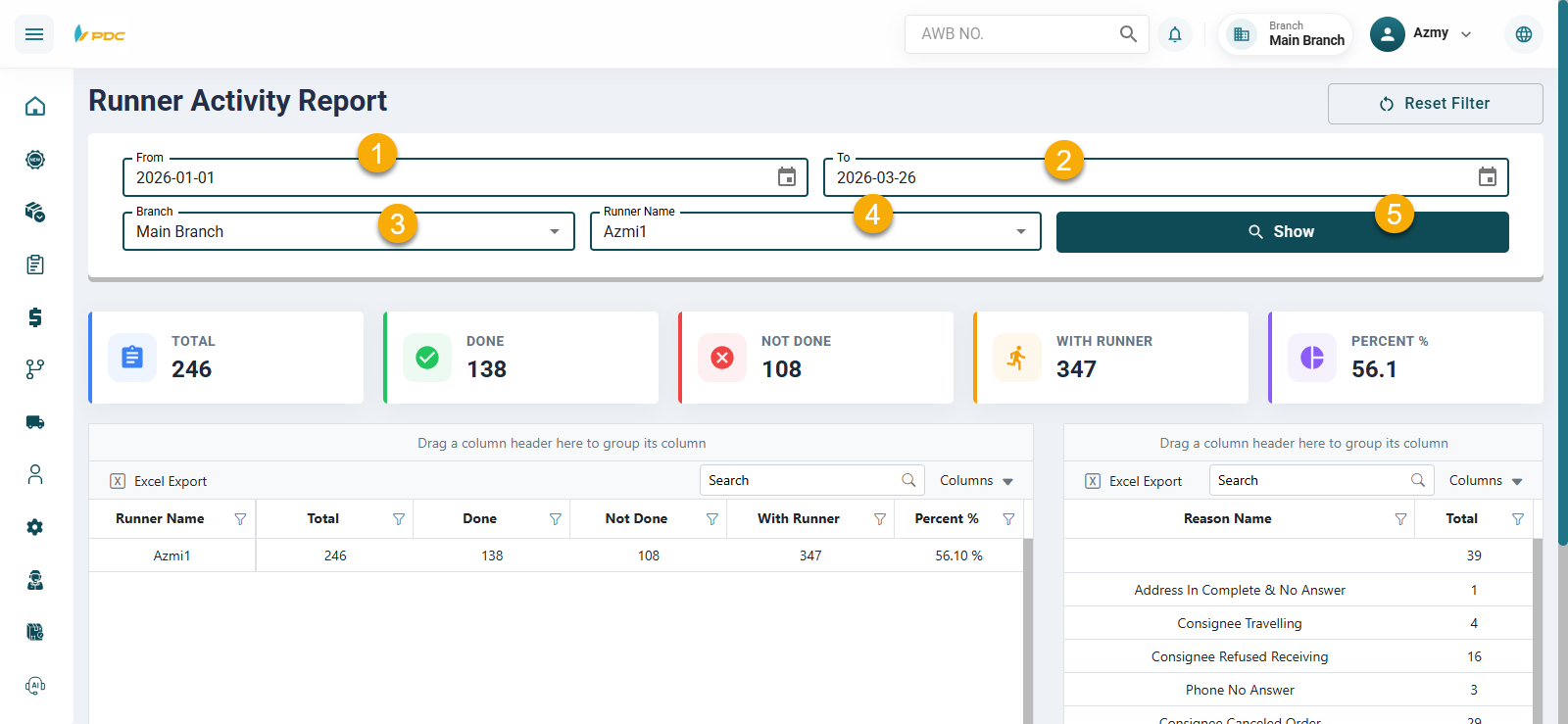
- Date Range — Select the start date and end date for the report.
- Branch — Select the branch whose activity you want to review.
- Runner — Select the courier whose activity you want to review.
- Click Show to display the results.
- In the Summary box:
- Total — Shows the total number of shipments.
- Done — Shows the shipments that were completed.
- Not Done — Shows the shipments that are pending or incomplete.
- The same details are displayed in the main table below, while the reasons appear in the smaller table.