Detail Inquiry
The Detail Inquiry page allows you to perform in-depth searches and extract detailed information about almost anything you need.
Access
From the Reports menu, select the Detail Inquiry tab.
Search Options in Detail Inquiry
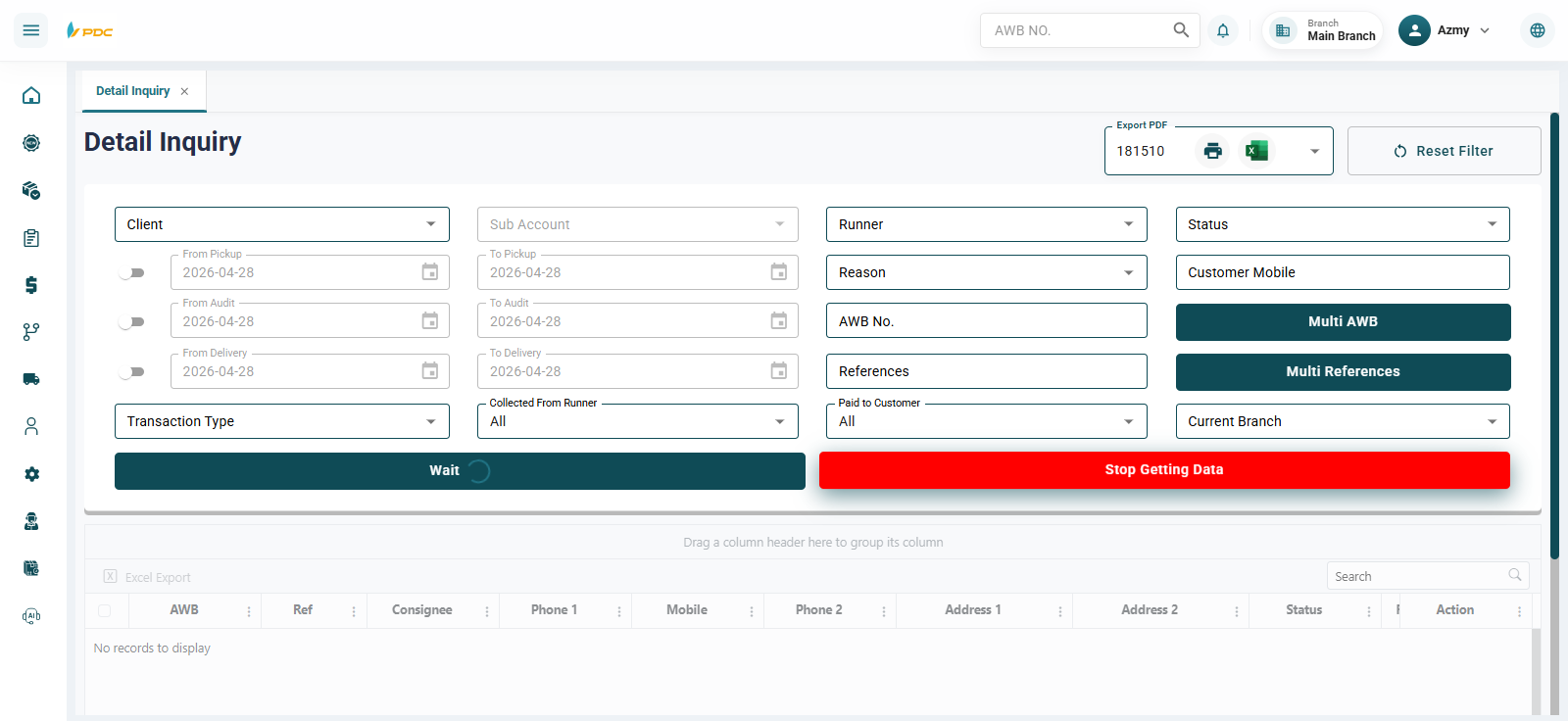
The detailed inquiry page provides multiple advanced search options to help accurately find shipments and operations:
-
Client — Select the client to search for.
-
Runner — Select the courier responsible for the shipment.
-
Status — Select the shipment status.
-
Reasons — Select a specific reason.
-
Date Range — Specify the start date and end date for the search.
-
AWB Numbers — Search by shipment number, either by entering:
- A single AWB number in the AWB No field, or
- Multiple AWB numbers using Multi AWB.
In addition, the page allows searching and filtering by the following options:
-
Phone Number — Filter shipments using the sender’s or receiver’s phone number.
-
Reference Number(s) — Search using a single reference number or multiple reference numbers.
-
Operation Type — Filter results based on the operation type, such as:
- Operation number
- Pickup order number
- Courier cash collection operation number
- Payout operation number to the shipper
-
Cash Collection Status — Filter shipments based on whether:
- Cash has been collected from the courier, or
- Cash has been paid to the client.
After setting the required filters according to your needs, click Show to display the search results.
🆕 Stop Fetching Data Button
The Stop Fetching Data button is used to control the shipment loading process.
How to Use:
- When clicked, it stops loading and fetching shipments from the system.
- This option is useful when you want to freeze the current data or reduce internet usage during operation.
Practical Example
Note: You can use only one filter or combine multiple filters to get more accurate results — it depends on your needs.
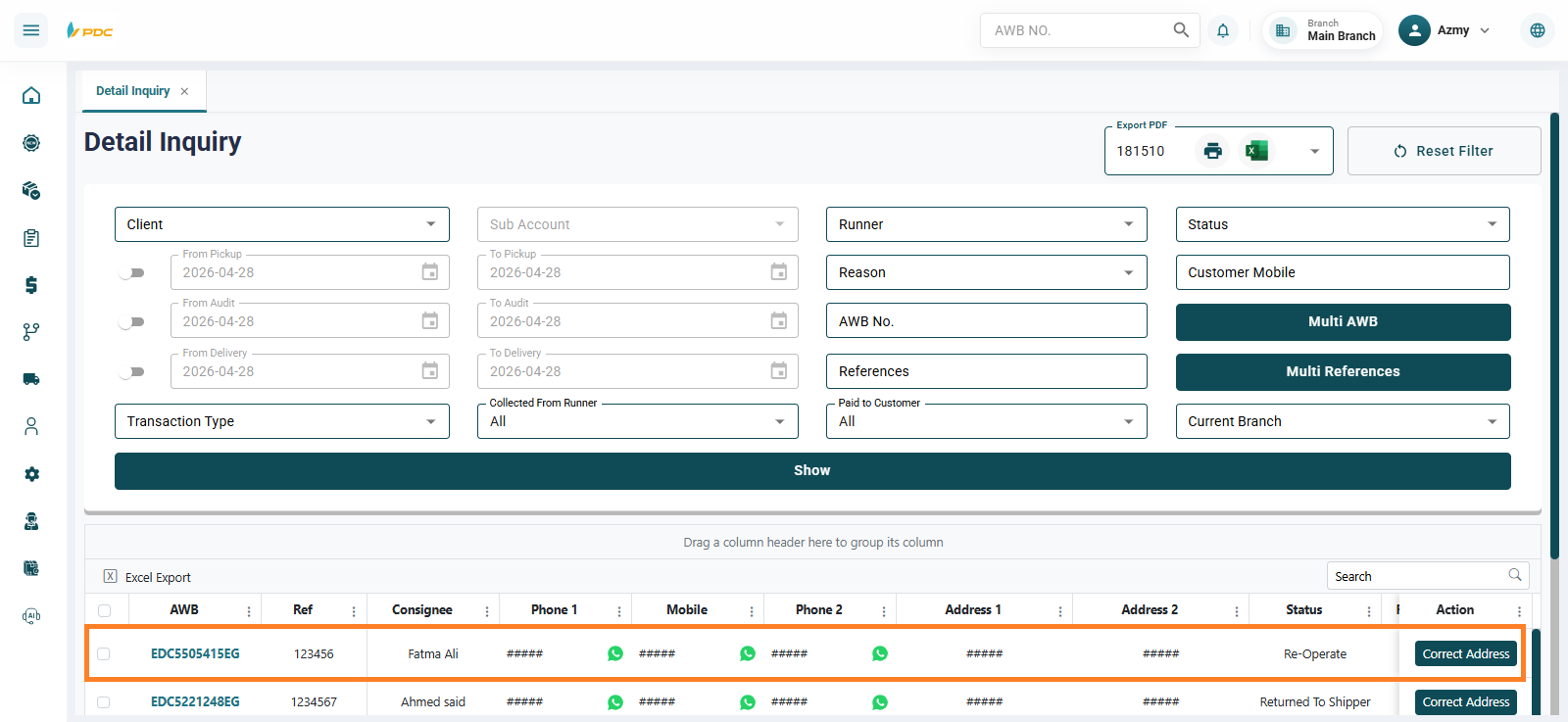
🆕 WhatsApp Button
A WhatsApp button is available next to each shipment to facilitate communication with the customer.
How to Use:
-
When clicked, it redirects the user to WhatsApp using the customer’s registered phone number.
-
The user can send:
- Shipment details
- Shipment status
- Any additional information
This helps improve communication speed with customers.
🆕 Correct Address Button
The Correct Address button is used to quickly update the shipment address using previously saved data.
How to Use:
- Click the Correct Address button next to the shipment.
- A modal will appear showing all shipments in the system with the same phone number but different addresses.
- Select the correct address from the list.
- Click "Use this address" to update the shipment details.
This feature helps to:
- Quickly correct addresses
- Reduce delivery errors
- Leverage previously stored system data
Export to Excel
The Export to Excel button allows users to export shipment data into an Excel file that can be downloaded and saved on their device.
When the Export to Excel button is clicked, the system generates an Excel file containing all shipments available to the user based on their assigned permissions and access rights.
How to Use
- Open the Detailed Inquiry screen.
- Click the Export to Excel button.
- The system will generate and download an Excel file to the user's device.
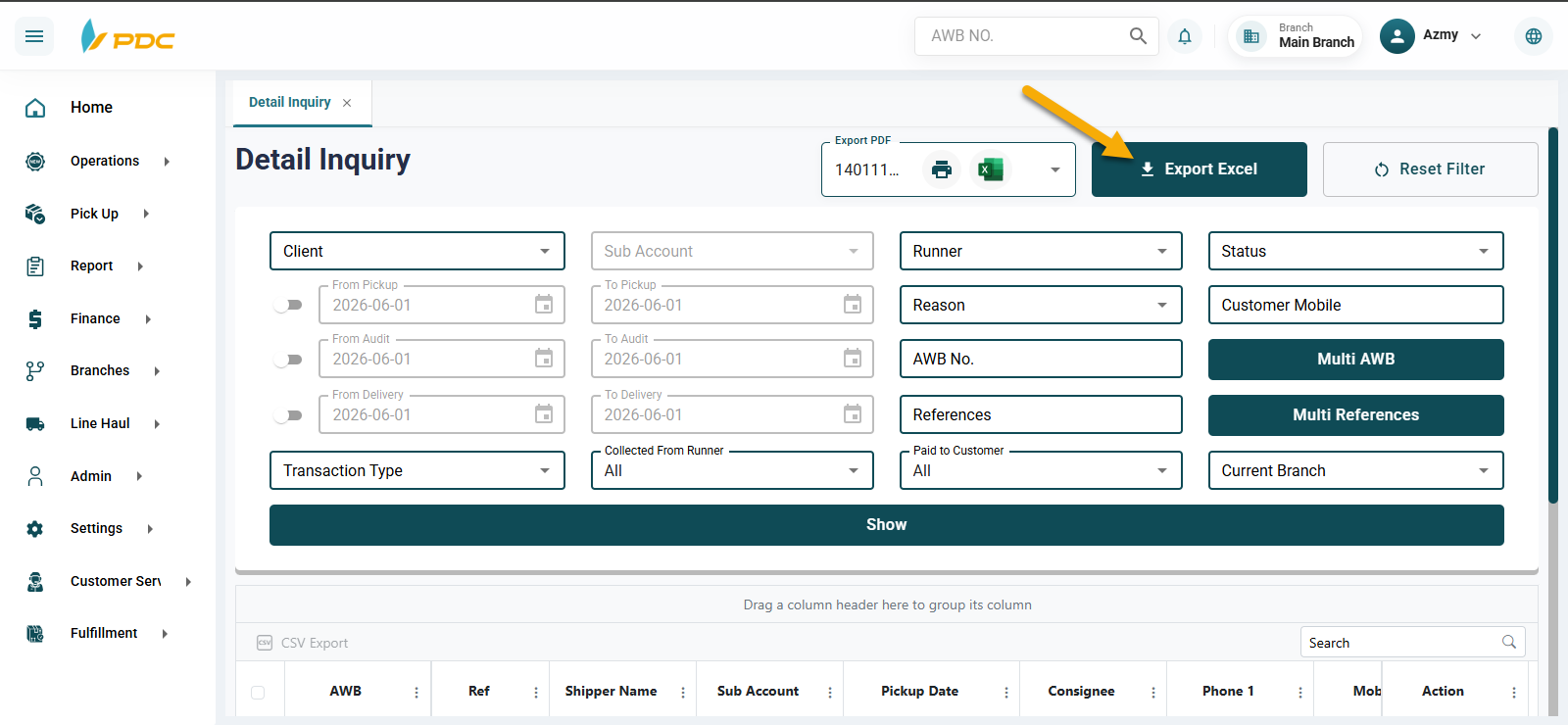
File Contents
The exported file contains shipment data available to the user according to their permissions, including the information displayed in the Detailed Inquiry screen.
Benefits
This feature helps users to:
- Generate reports and analyze shipment data more efficiently.
- Keep an offline copy of shipment records.
- Share shipment data with other departments or stakeholders when needed.
- Perform advanced filtering, sorting, and analysis using Excel tools.
- Simplify auditing and operational reviews.
- Export large volumes of shipment data without reviewing shipments individually.
The Export to Excel feature is a valuable tool for operations and management teams, providing a fast and efficient way to access, analyze, and share shipment data outside the system.
Waybill Printing
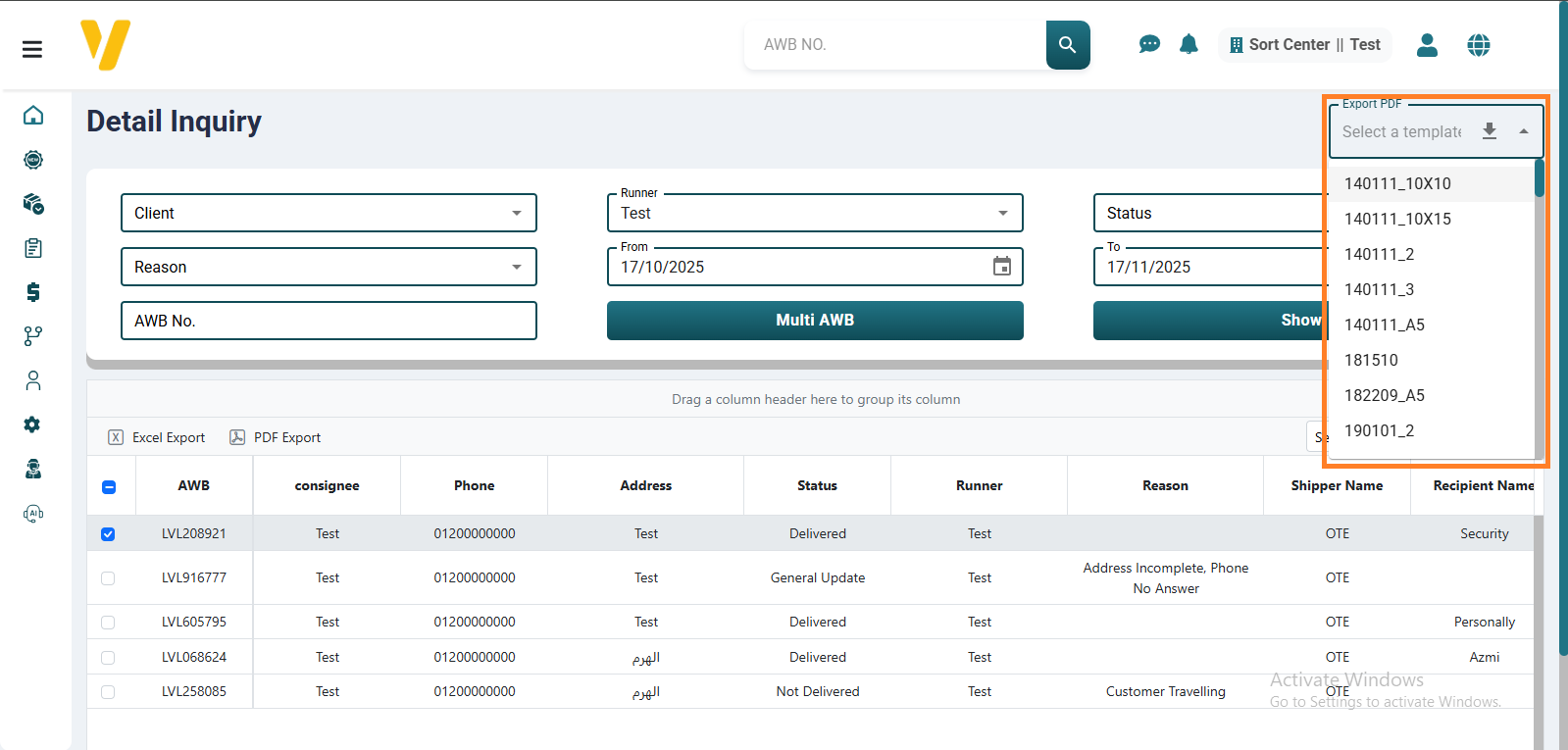
You can print shipment waybills directly from this screen. Select the shipments you want to print the waybills for, then choose the appropriate waybill design from the available templates. After selecting the design, click the Print Waybill button to generate and print the documents.
Each waybill includes all essential shipment details — such as shipment number, sender, receiver, and COD amount and is attached to the packages during transportation or delivery.