Edit Employee Details
To edit an employee’s information, follow these steps:
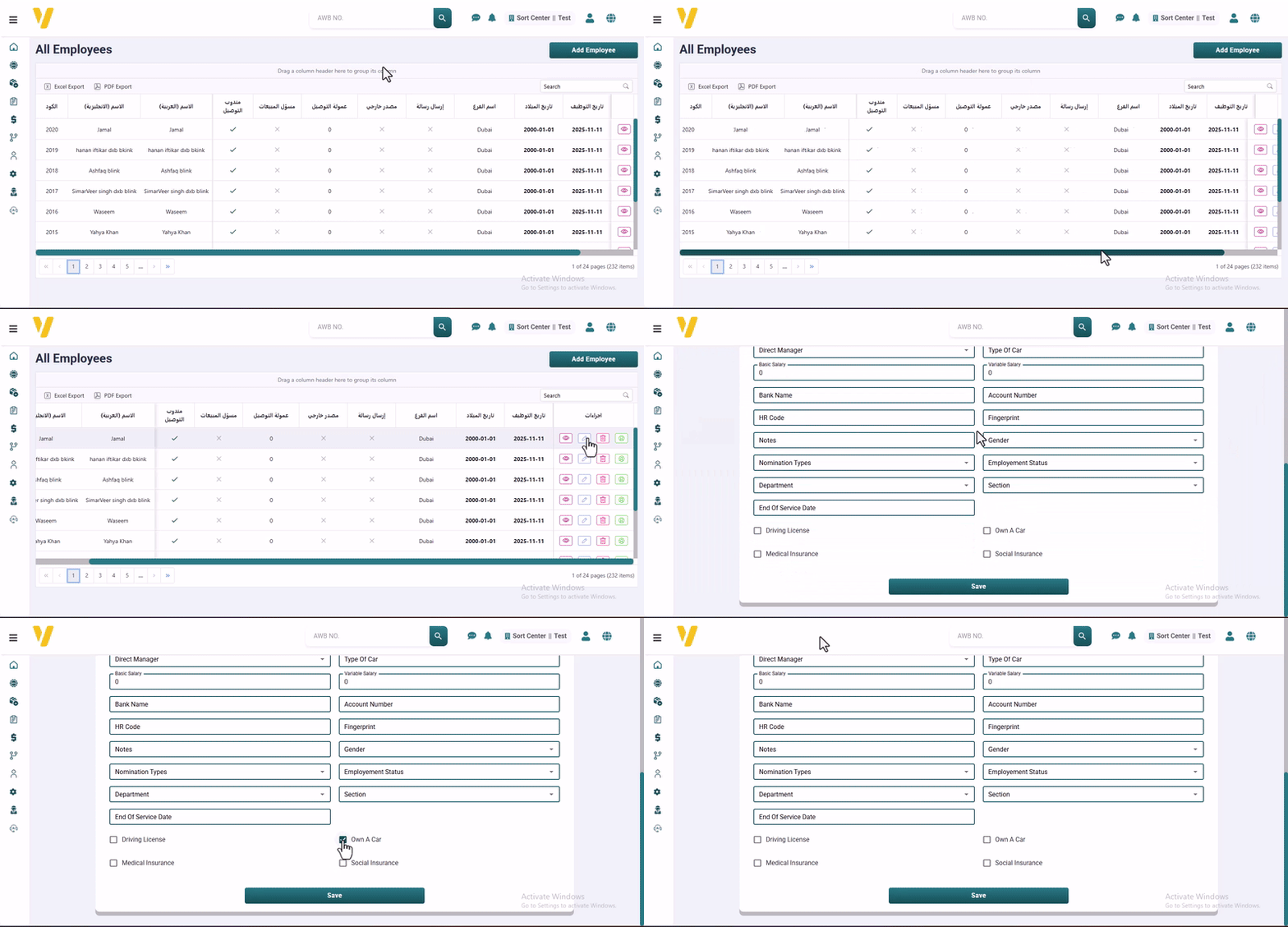
- Go to the All Employees table (from System Data → Employee Management).
- Find and select the row of the employee you want to edit. You can also use the Filter by Name option (e.g., courier’s name) to quickly locate them.
- Click the Pencil icon ✏️ to open the edit form.
- Make the required changes in the available fields.
- Click Save to apply the changes.