Grant Runner Access to the MPS Runner App
The MPS Runner app is designed specifically for employees assigned the Runner role. To grant an employee access to the app, follow these steps:
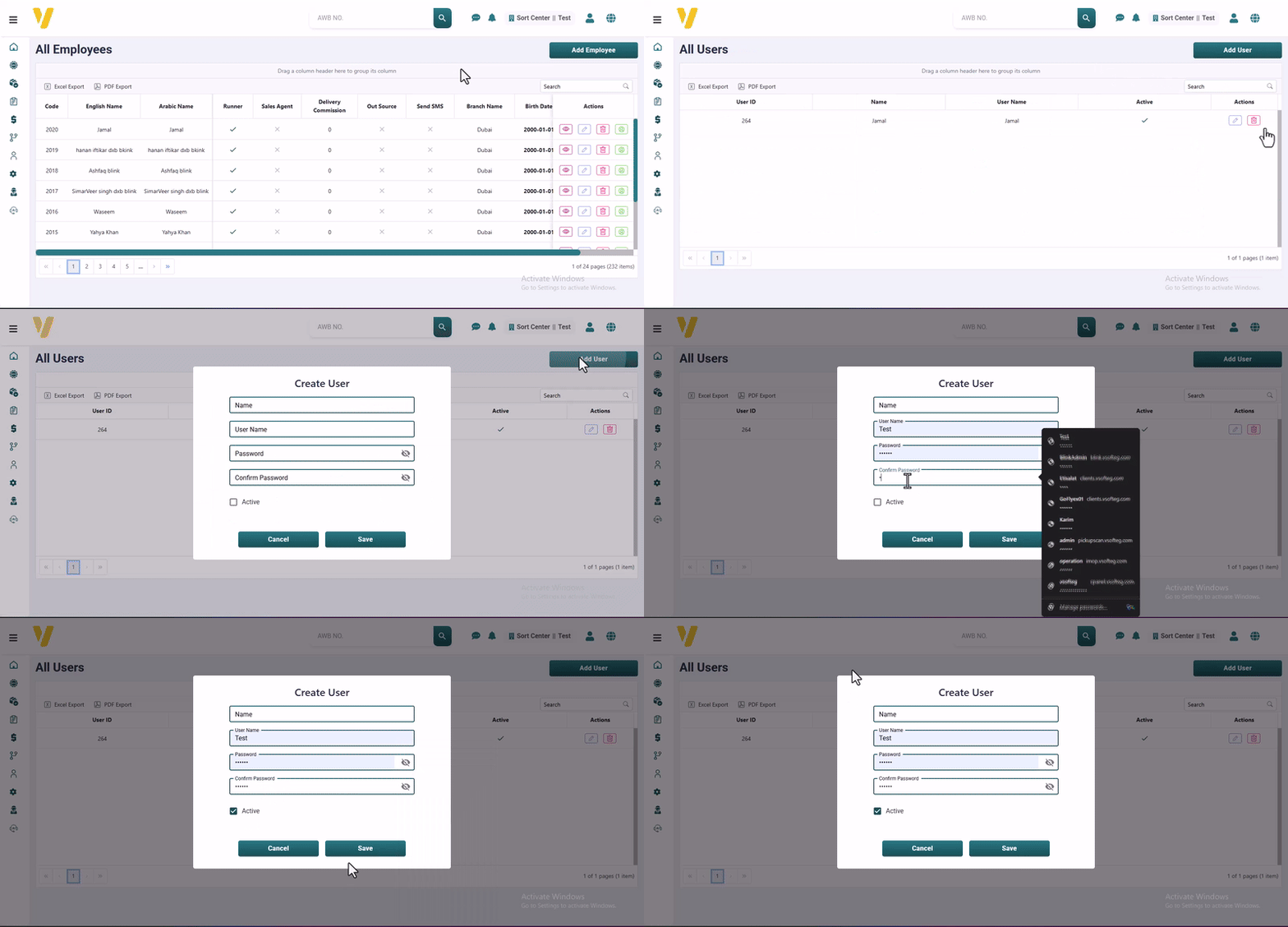
- Go to the All Employees table (from System Data → Employee Management).
- Find and select the row of the employee you want to assign as a Runner. You can also use the Filter by Name option to quickly locate them.
- Ensure the employee’s role is set to Runner.
- In the Actions column, click the Account button.
- From the account management panel, you can:
- Assign a Username and Password for the employee to access the MPS Runner app.
- Activate or Deactivate the employee’s account by checking or unchecking the "Active" box.
Note: Only employees assigned as Runners and marked as Active can log in and use the MPS Runner app.