Receive Inventory
The operations staff follows these steps:
-
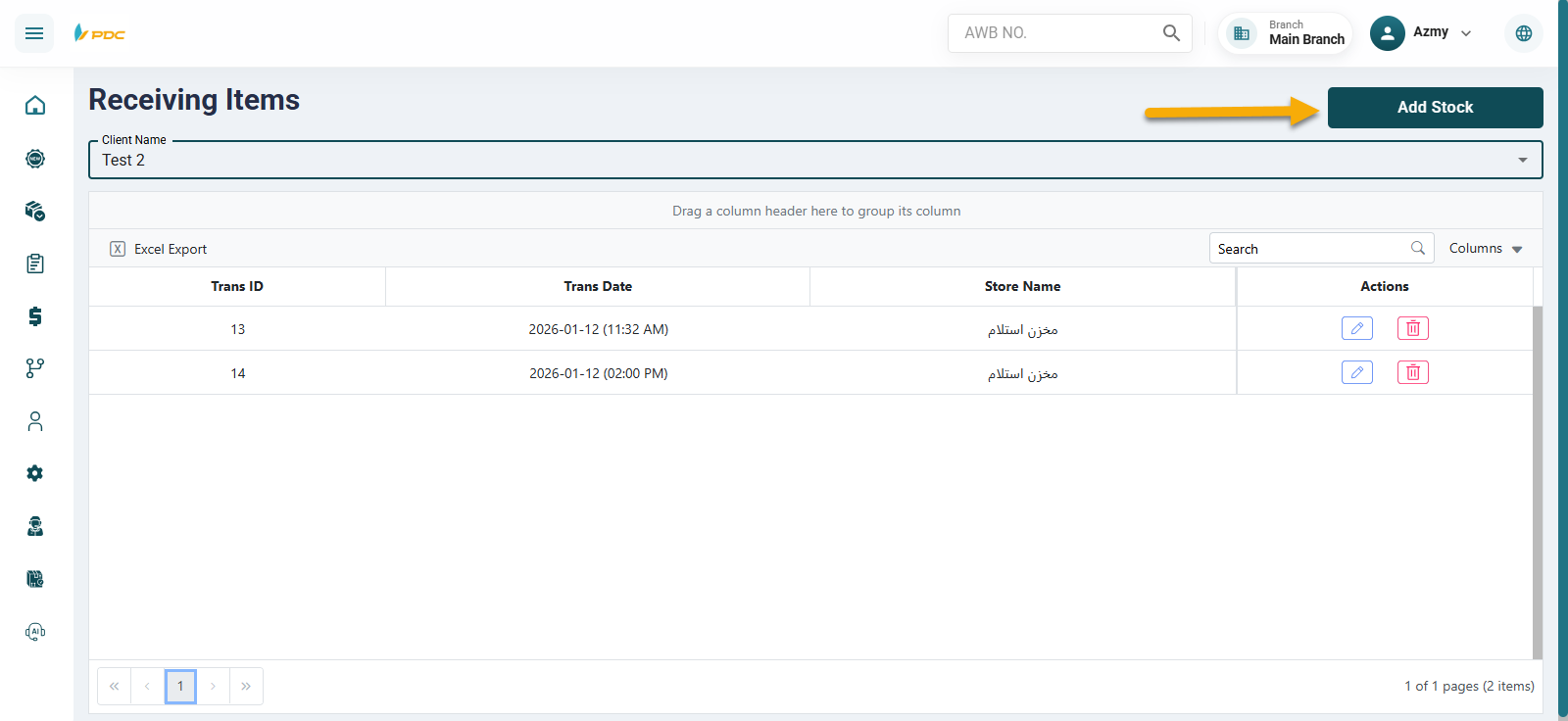
Click on Add Inventory.
-
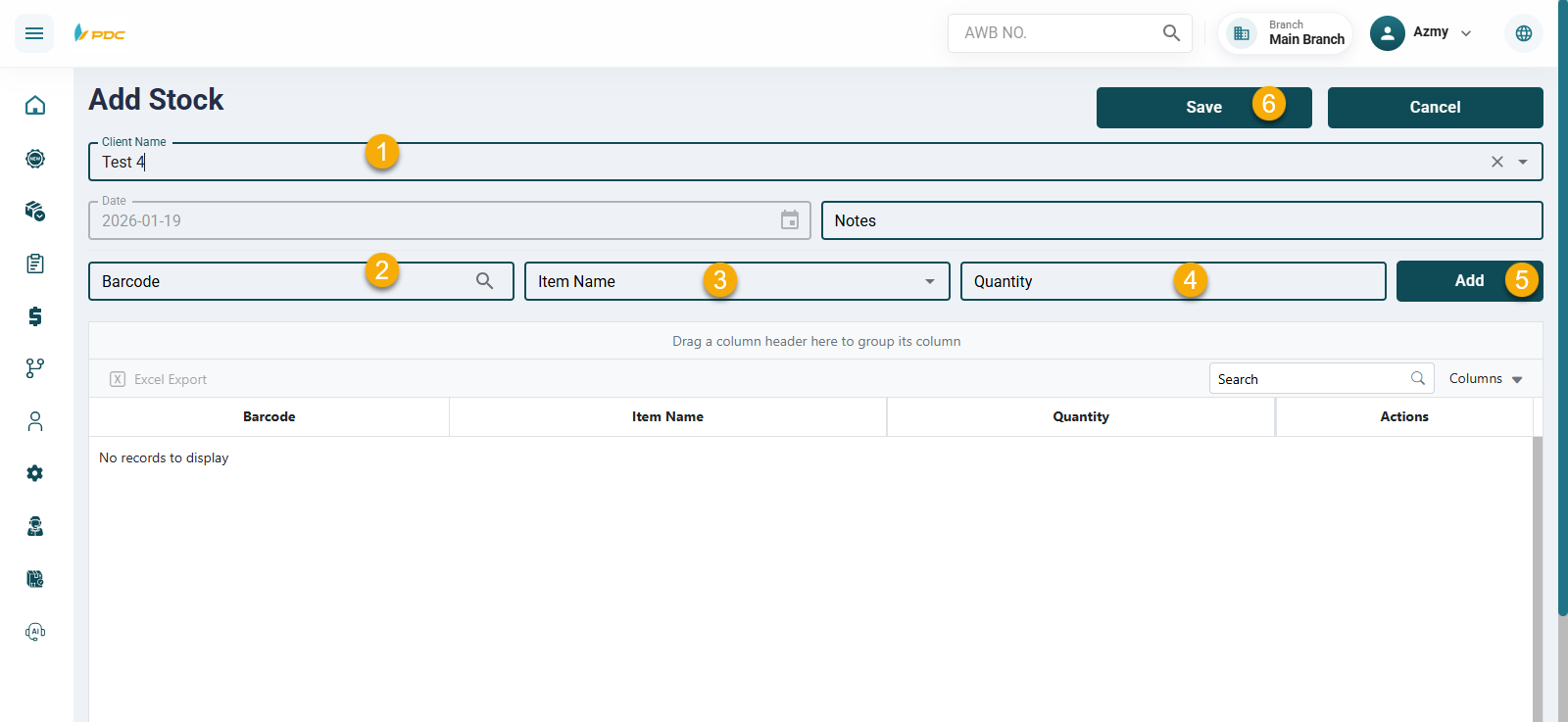
Select the client whose inventory will be added to the warehouse.
-
Enter the item barcode.
-
Enter or select the item name.
-
Specify the quantity received from the client.
-
Click Add to display the operation in the list below.
Confirming the Operation
-
After reviewing the entered data, click Save to confirm the inventory receiving process and record it in the system.
-
The system allows:
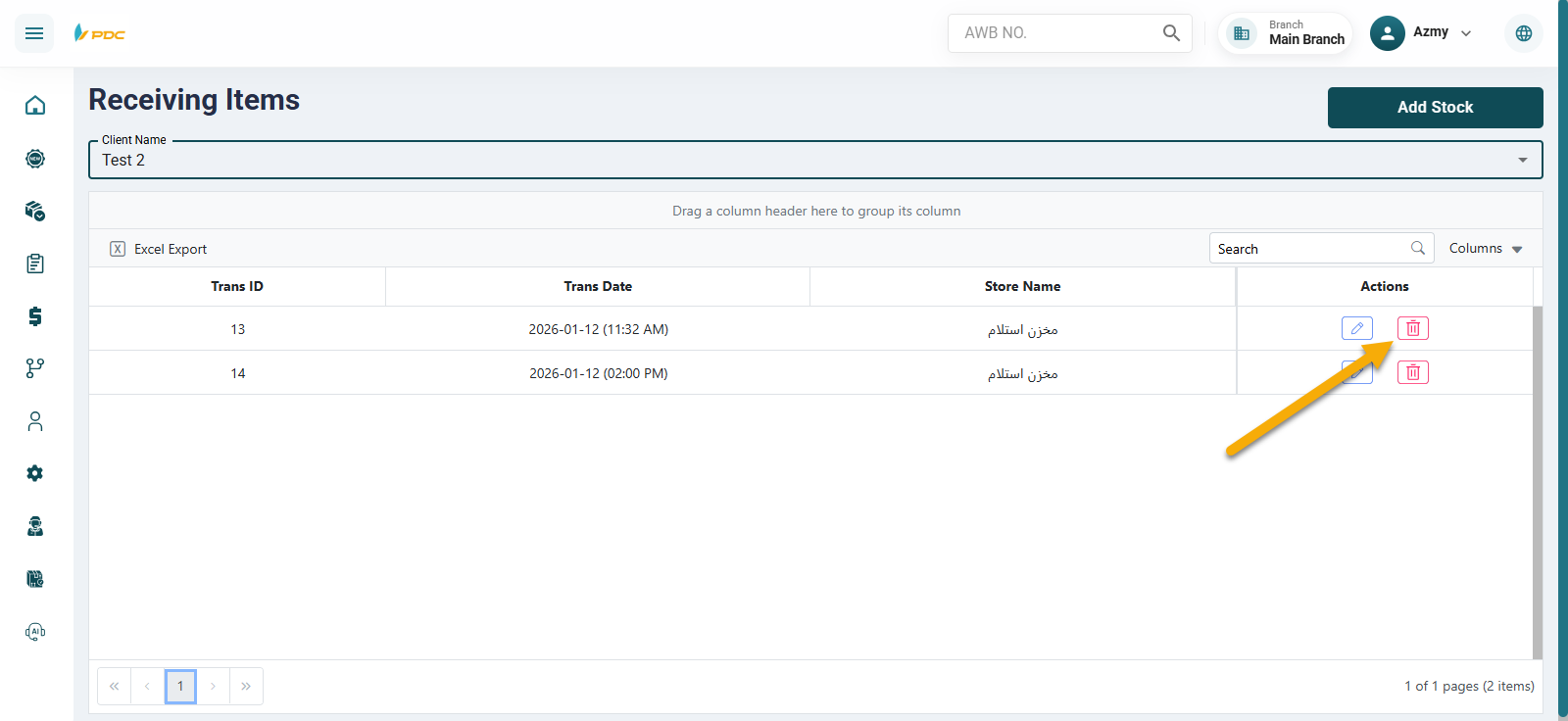
- Editing the operation before saving, if needed.
- Deleting the operation in case of incorrect data entry.
This screen helps ensure accurate inventory tracking, proper client inventory management, and smooth warehouse operations.