Access Failure Reasons
To manage failed delivery reasons, go to: Settings → Failed Delivery Reasons.
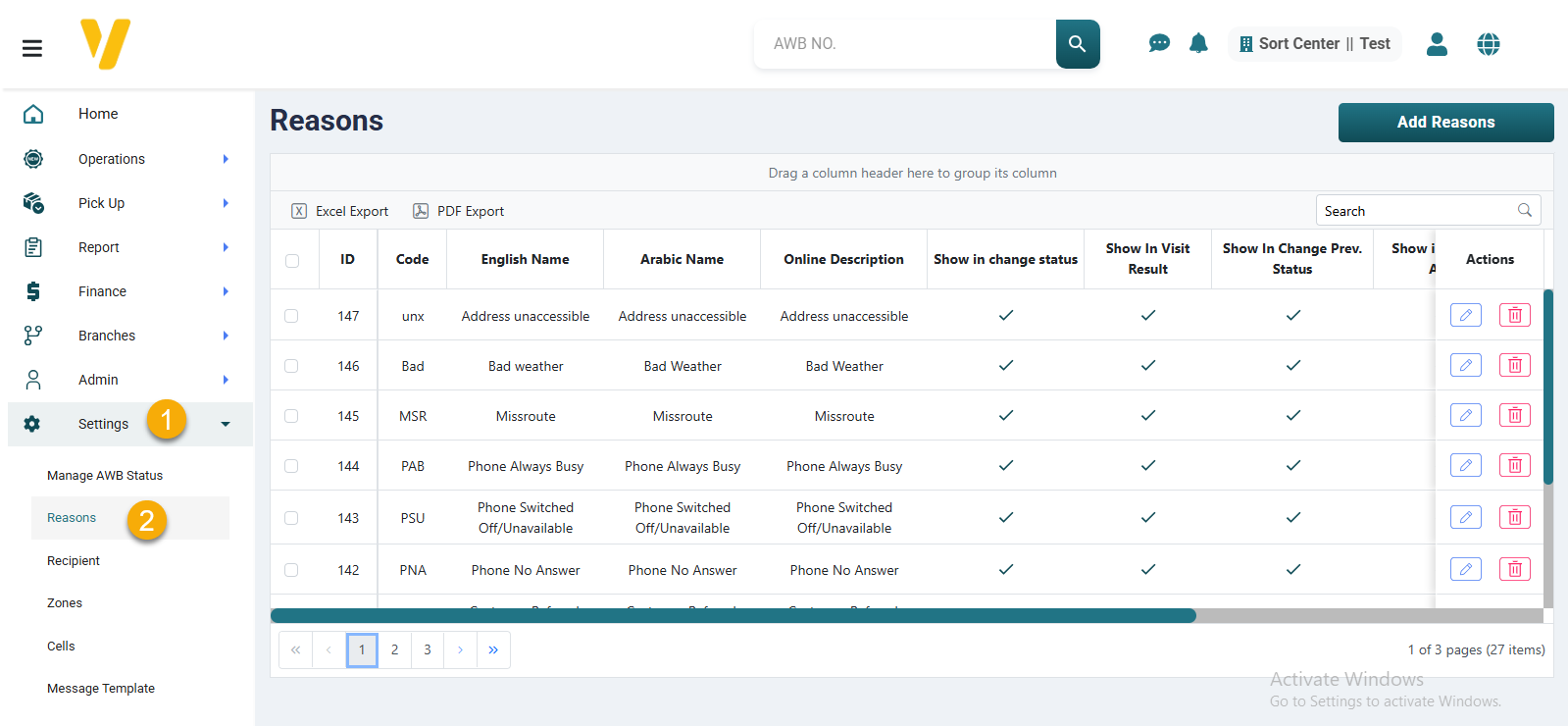
Once you click on the Failed Delivery Reasons tab, the system will automatically open the Failure Reasons screen.
This screen displays all available failure reasons in a table format, where each row represents a reason with action icons such as edit or delete.
From here, you can:
- View all current reasons.
- Add a new reason.
- Edit or delete an existing reason using the action icons on the left of each row.