Lost / Damaged Shipment
The Lost Shipment screen is used to record lost or damaged shipments in the system, ensuring proper documentation and tracking within the Dispatch system.
Through this screen, the user performs the following steps:
- Select the operation date.
- Choose the shipment status (Lost or Damaged).
- Enter one shipment number or multiple shipment numbers.
- Click Save.
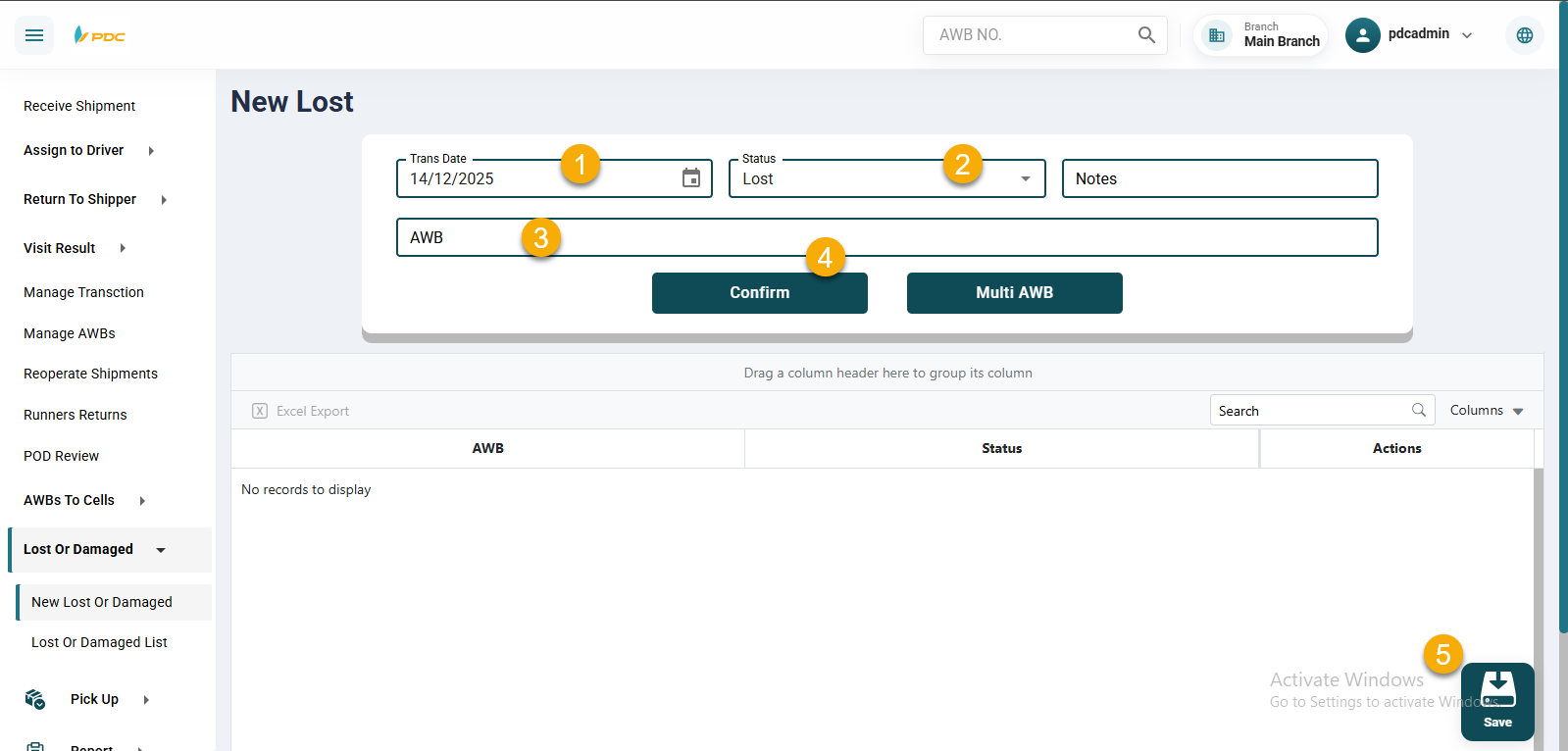
After saving, the system automatically redirects to the Lost / Damaged Shipments List page, where pending operations are displayed.
From this page, the user can:
- Edit the operation.
- Delete the operation.
- Post (Transfer) the operation.
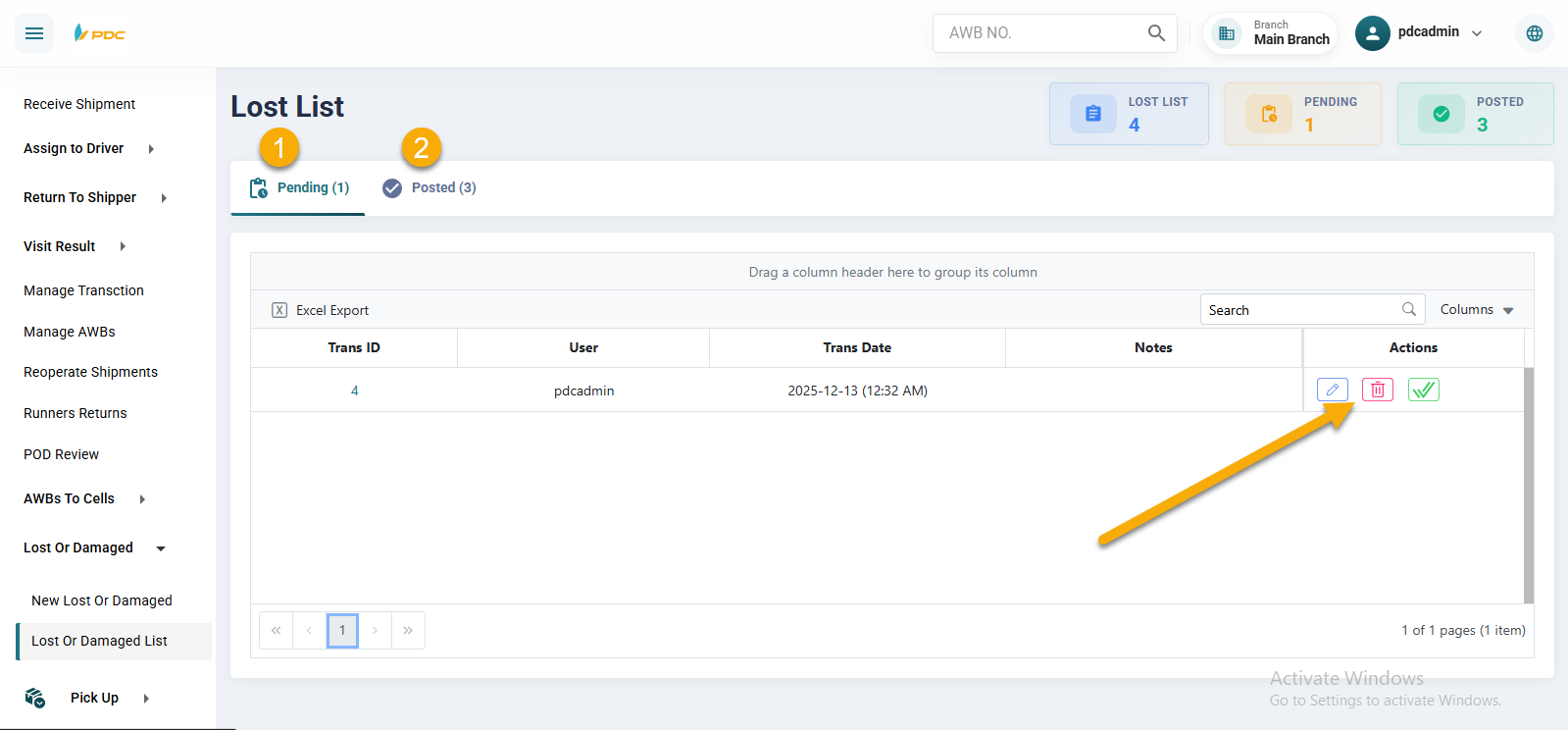
Once the checkmark (✔) is clicked, the operation is posted, and the shipment status is confirmed and moved to the Posted Operations screen, officially updating the shipment status in the system.