Change Shipment Status
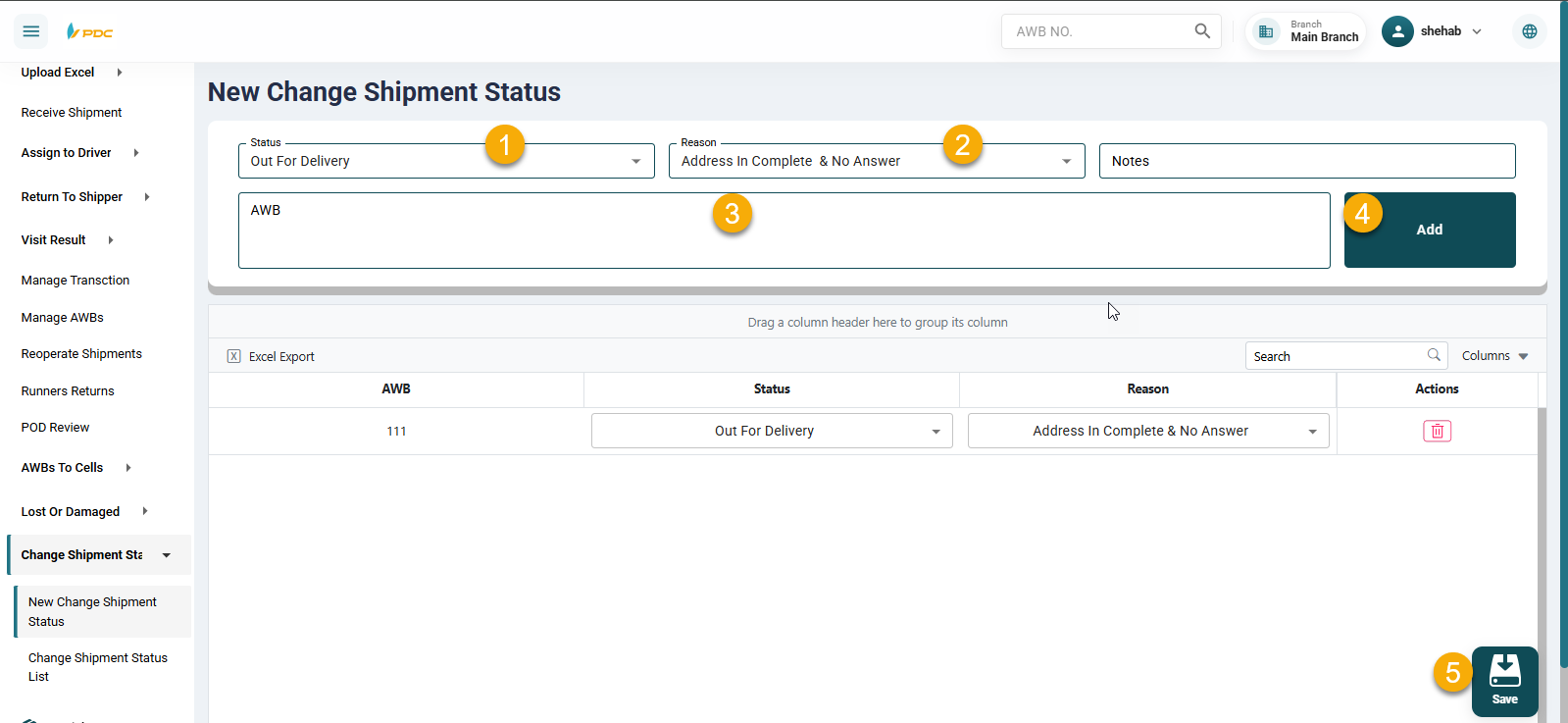
The Change Shipment Status screen allows the Operations employee to update the status of shipments on the system, except for shipments that have the status “Delivered”, as delivered shipments cannot be modified.
How to use:
- Select the new status to be assigned to the shipment.
- Choose the reason for changing the status.
- Enter the shipment number.
- Click the Add button to display the shipment in the added shipments list.
- After adding all required shipments, click Save.
Once saved, the system automatically redirects to the Shipment Status List page, where the following actions can be performed:
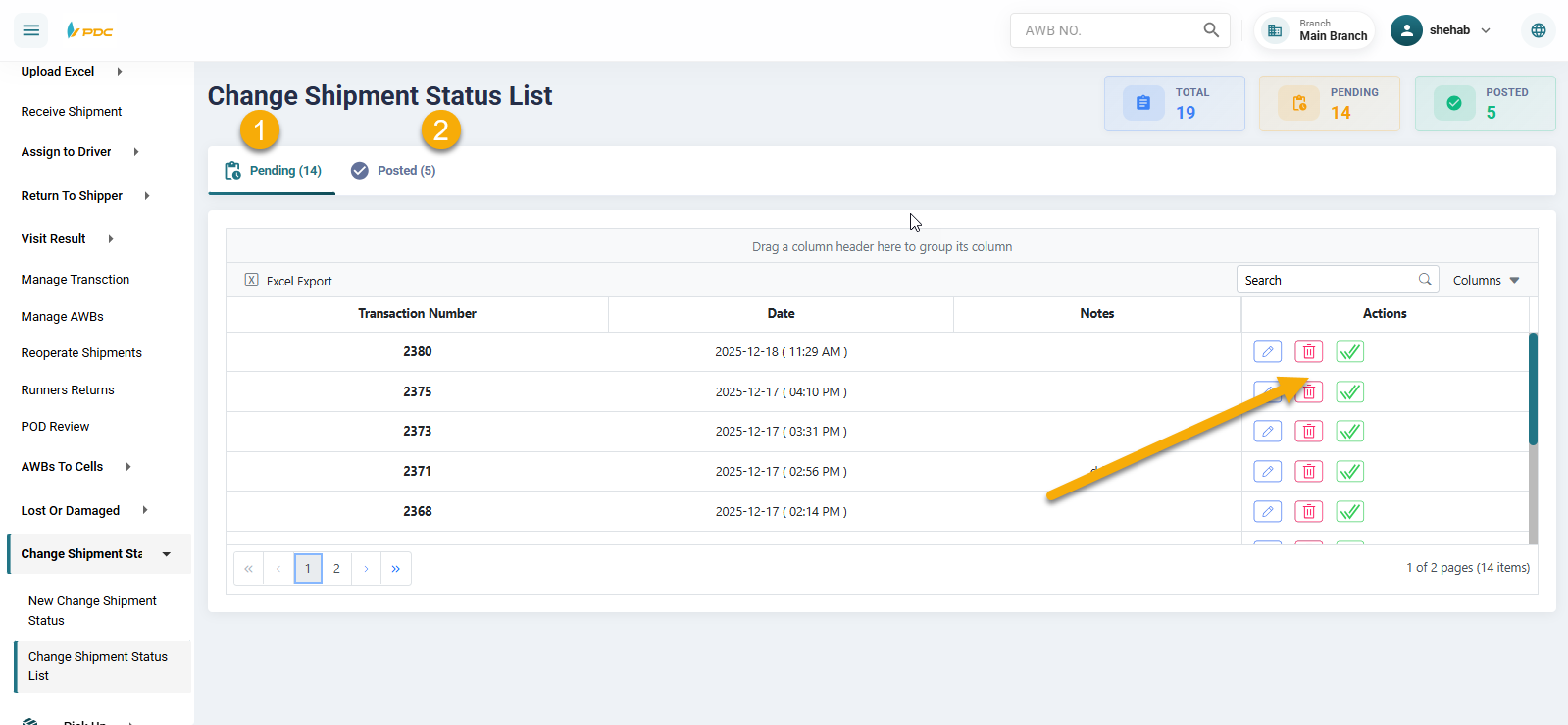
- Edit the operation.
- Delete the operation.
- Confirm the operation by clicking the Post button.
Clicking Post moves the operation from Pending Operations to Posted Operations.