Edit Shipment
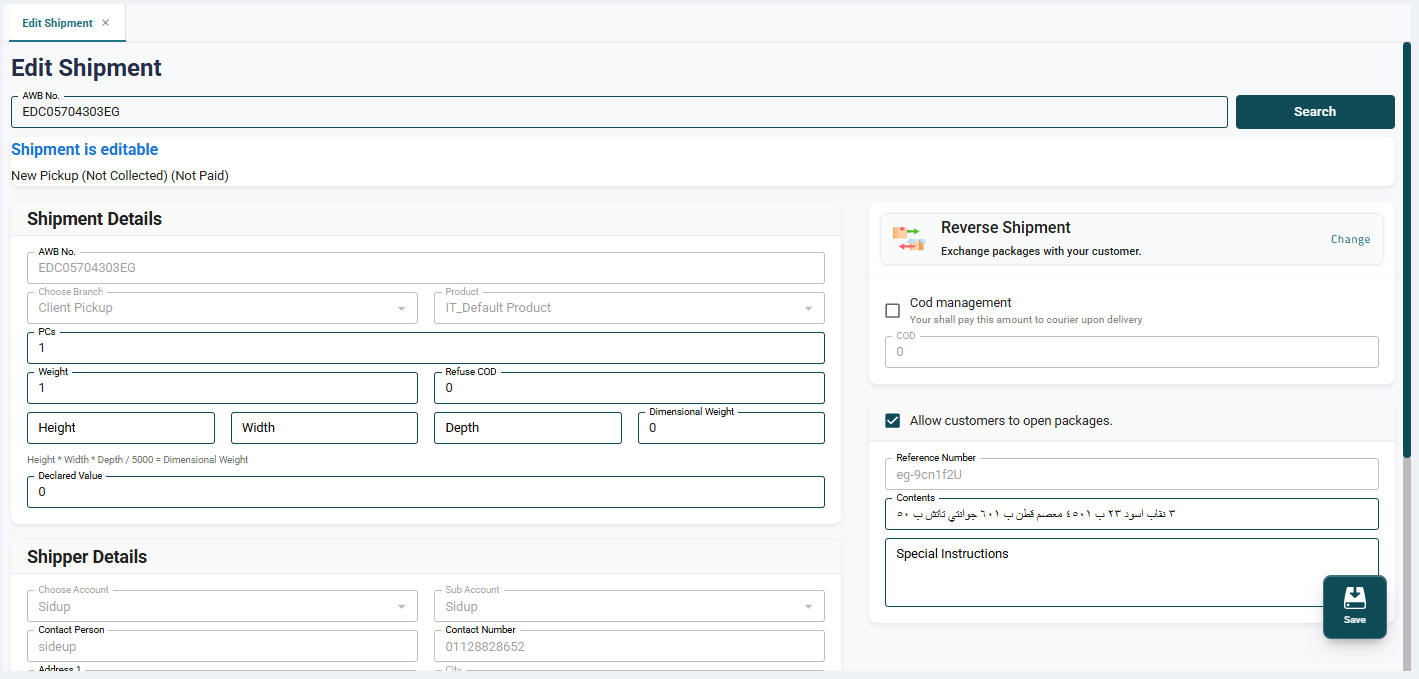
The Edit Shipment screen allows the Operations employee to modify any data related to shipments that have already been created in the system.
This screen is used in cases where a shipment needs to be updated after creation, such as:
- Modifying the COD amount.
- Updating the delivery address.
- Changing the phone number.
- Editing any other shipment-related details.
The screen layout is similar to the Create Shipment page, which makes it easy to use.
Important Notes
- The Cash on Delivery (COD) amount cannot be modified.
- The Reference Number cannot be modified.
- The Branch cannot be modified.
- The Product cannot be modified.
- The Shipper details cannot be modified.
How it works:
- Enter the Air Waybill (AWB) / Shipment Number.
- Click Search.
- The system retrieves and displays the shipment details.
- Make the required edits to the shipment data.
- Click Save to apply the changes.
Once saved, the updates are applied immediately and reflected across the system in real time.
Bulk Shipment Update Using Excel
The system allows users to update multiple shipments at once by uploading an Excel file, saving time and effort compared to updating each shipment individually.
How to Use:
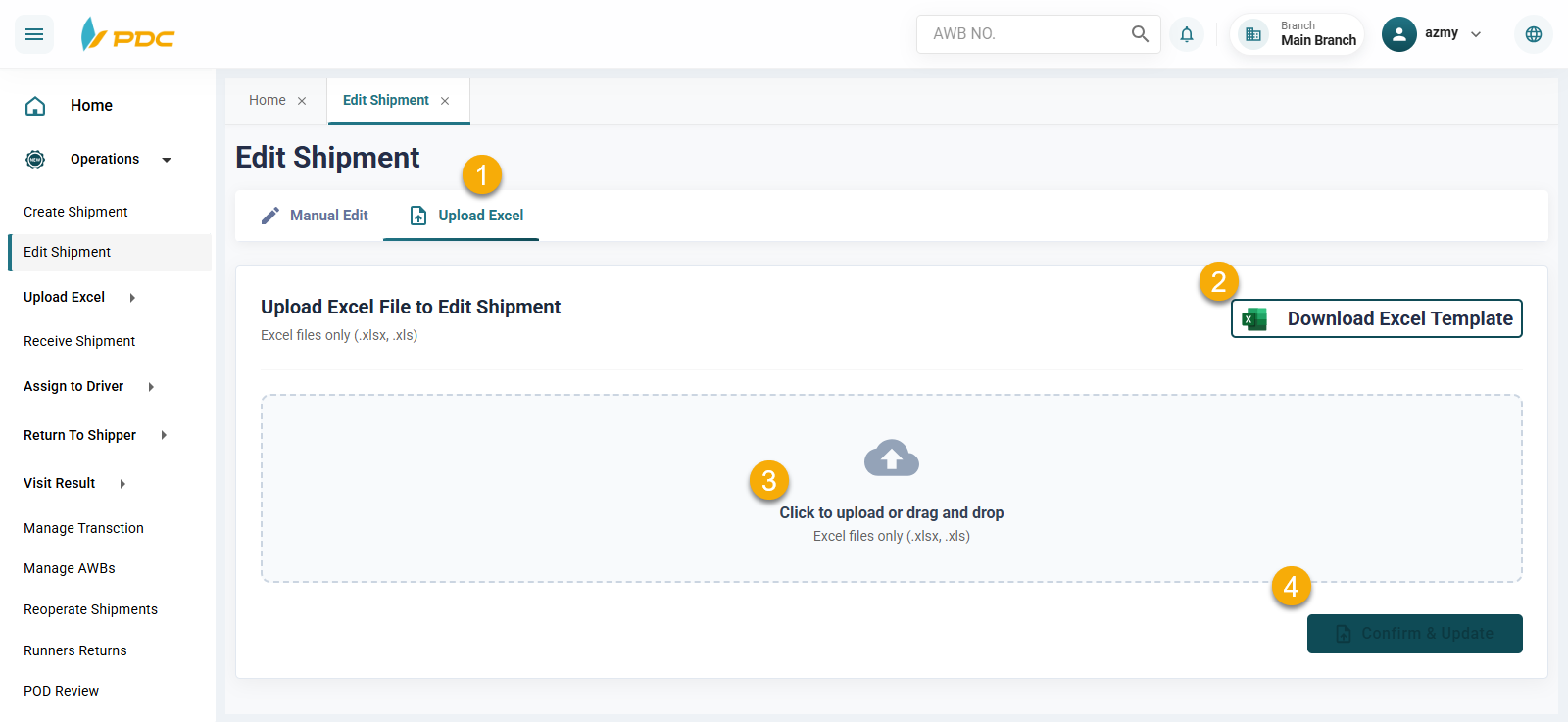
- From the Edit Shipment page, go to Edit by Uploading Excel.
- Download the available Excel template from the page.
- Enter the shipment numbers and the data to be updated in the Excel file.
- Upload the Excel file after updating the required data.
- Click Confirm and Update.
- The system will apply the updates to all shipments included in the file in a single operation.
This feature helps simplify and speed up the shipment update process, especially when updating a large number of shipments at the same time.