Manage AWBs
The Manage AWBs screen allows you to manage all shipments, including deleting, editing, reversing actions, and more. To open this screen, go to Operations → Manage AWBs.
Main Sections
This screen is divided into three main sections:
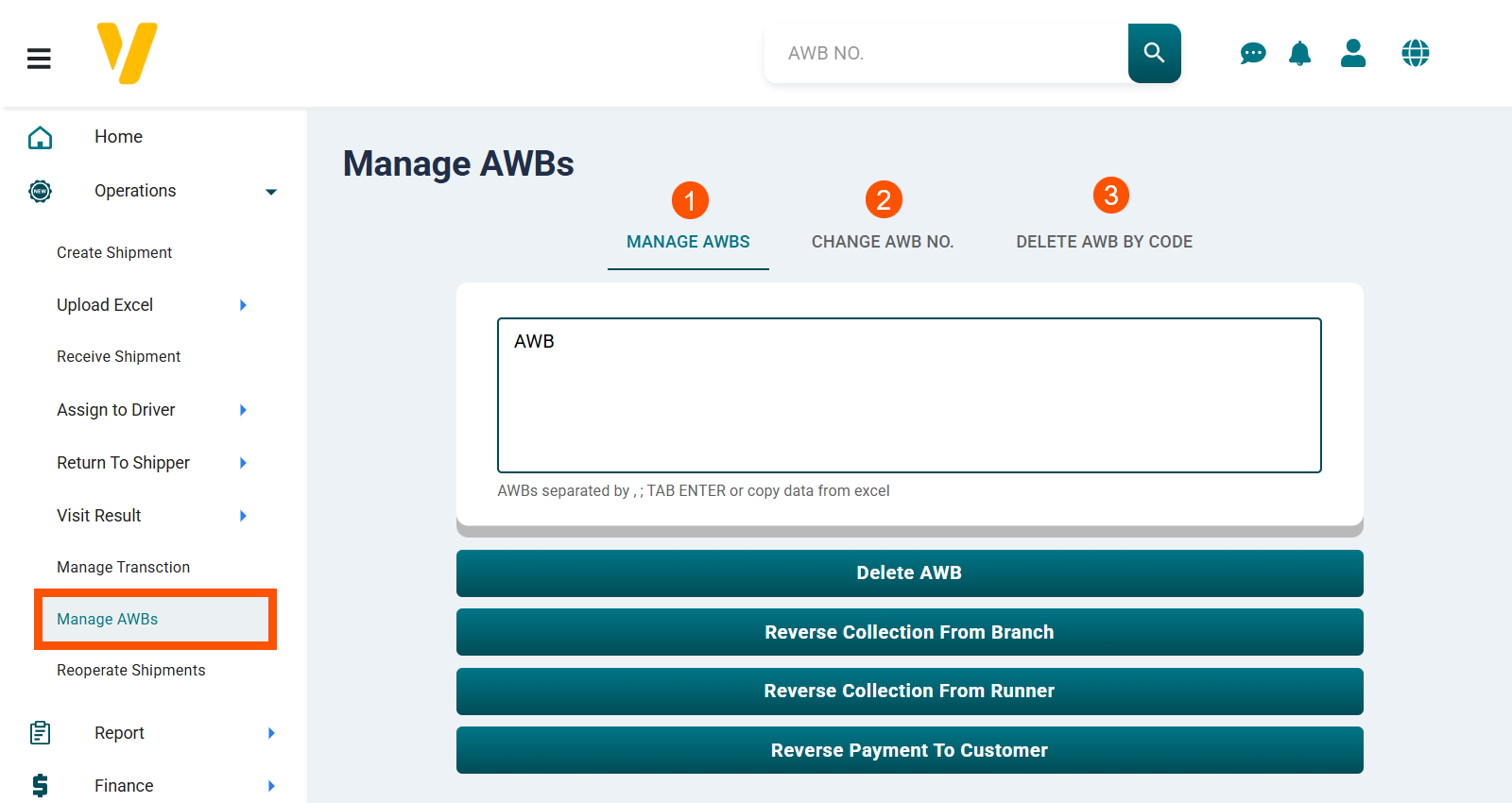
- Manage AWBs – Manage shipments by deleting or reversing actions.
- Change Shipment Number – Change the shipment number or the shipment code.
- Delete Shipment by Code – Delete a shipment using its code.
1. Manage AWBs
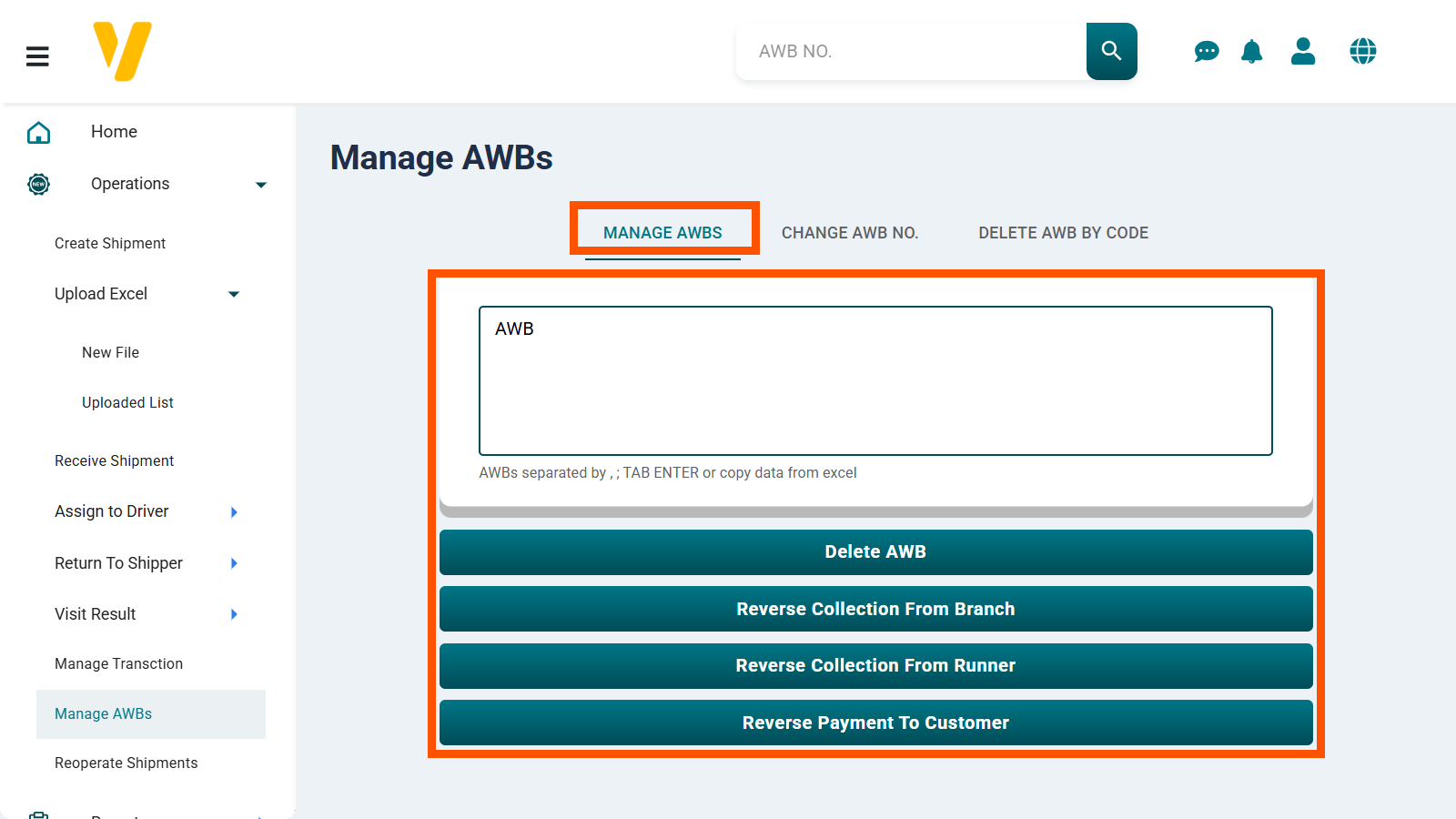
In this section, you can perform four types of actions on the AWB numbers you enter in the AWB field:
- Delete a Shipment – Delete one or more existing shipments.
- Reverse a recorded collection from a branch.
- Reverse a recorded cash collection from a runner.
- Reverse a recorded payment to a customer.
2. Change Shipment Number
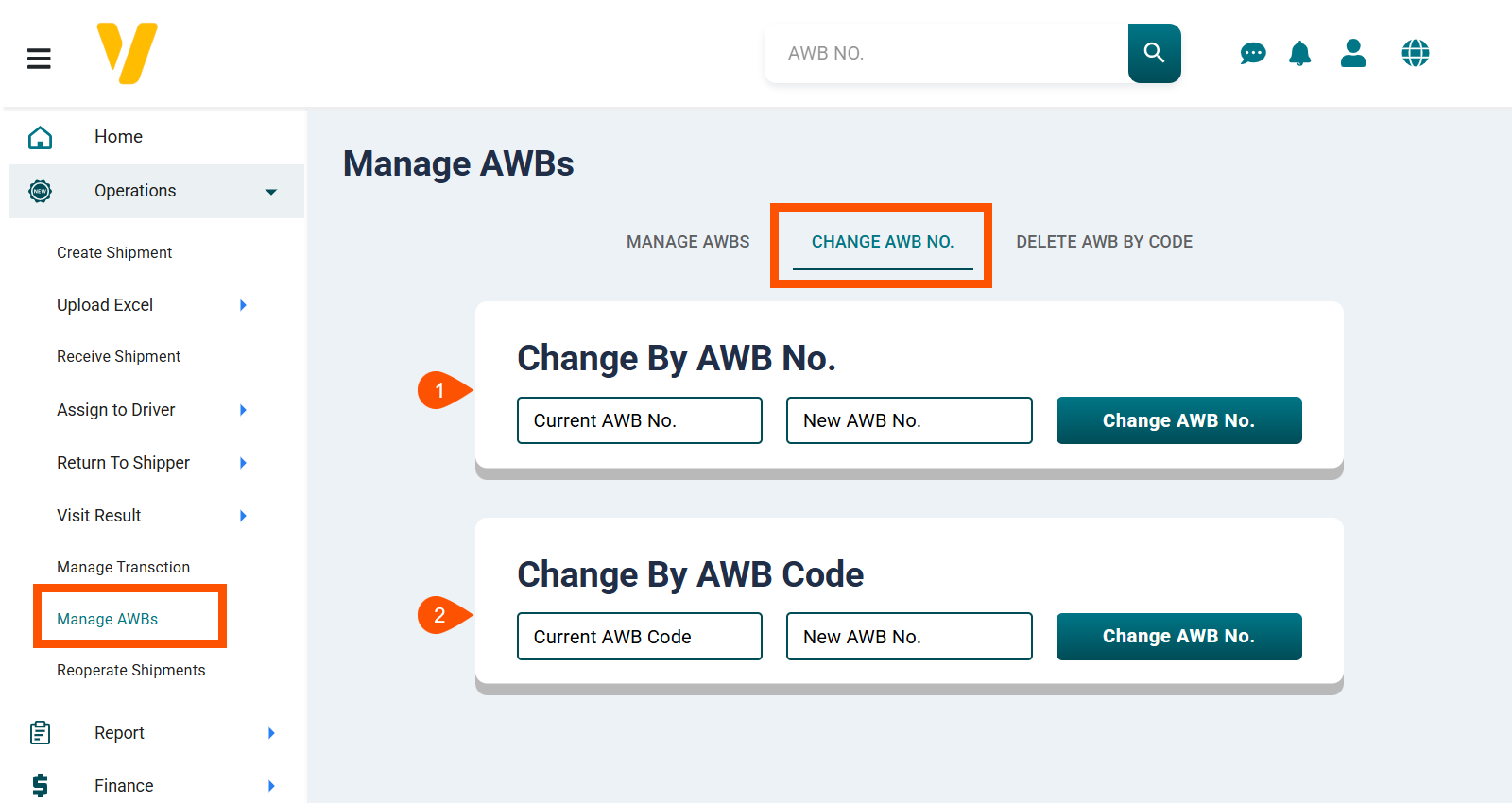
You can change the shipment number or the shipment code:
- Change by Shipment Number – Enter the current shipment number and the new shipment number, then click Change AWB No.
- Change by Shipment Code – Enter the current shipment code and the new shipment number, then click Change AWB No.
3. Delete Shipment by Code
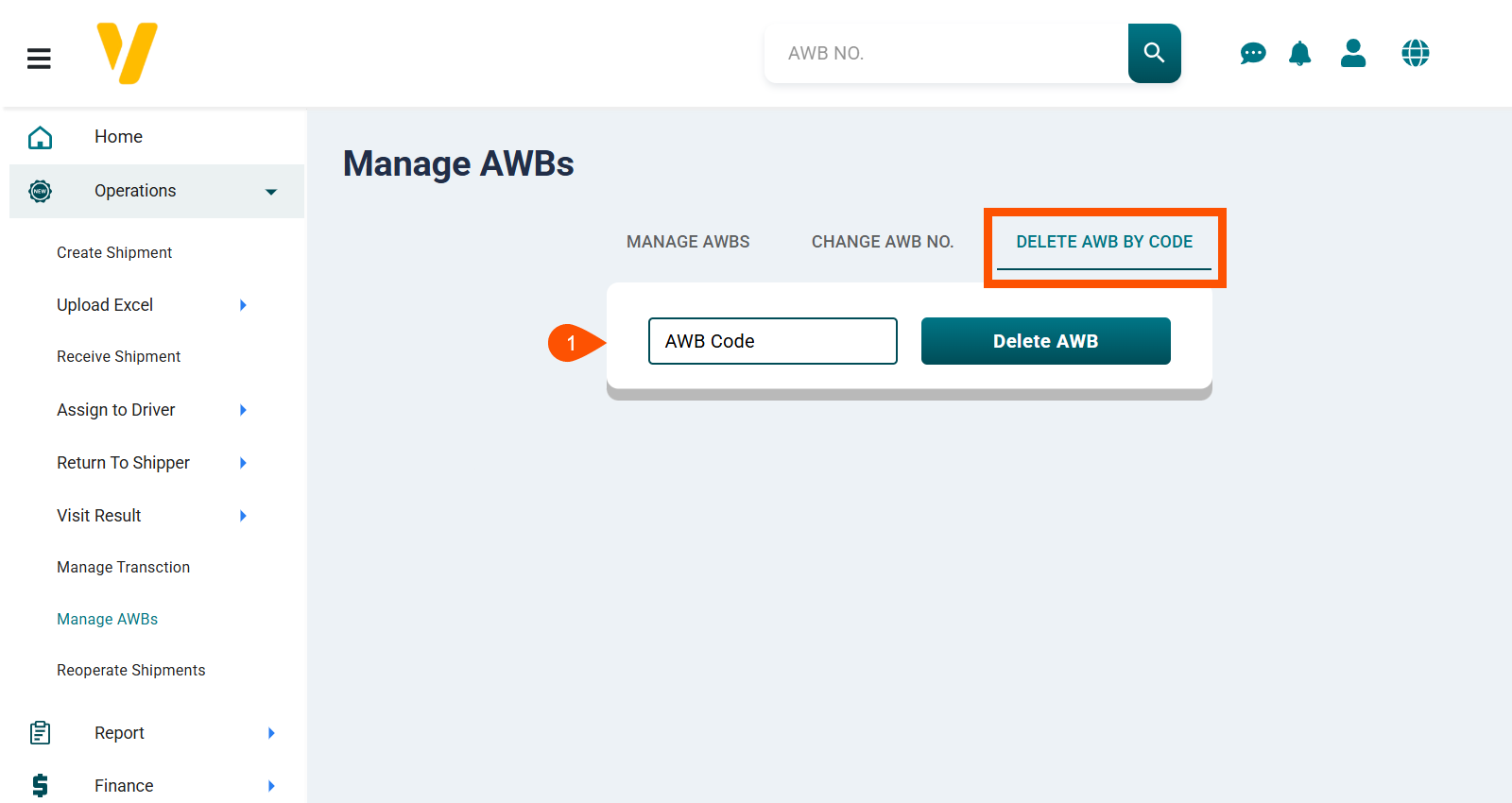
Enter the shipment code and click Delete Shipment to delete the shipment.