New AWB To Cell
The New AWB To Cell screen is related to warehouse operations in shipping companies. Its main purpose is to store shipments inside predefined warehouse cells, organized by shipment status, to make it easier for warehouse staff to locate and handle shipments efficiently.
From this screen, the user is required to:
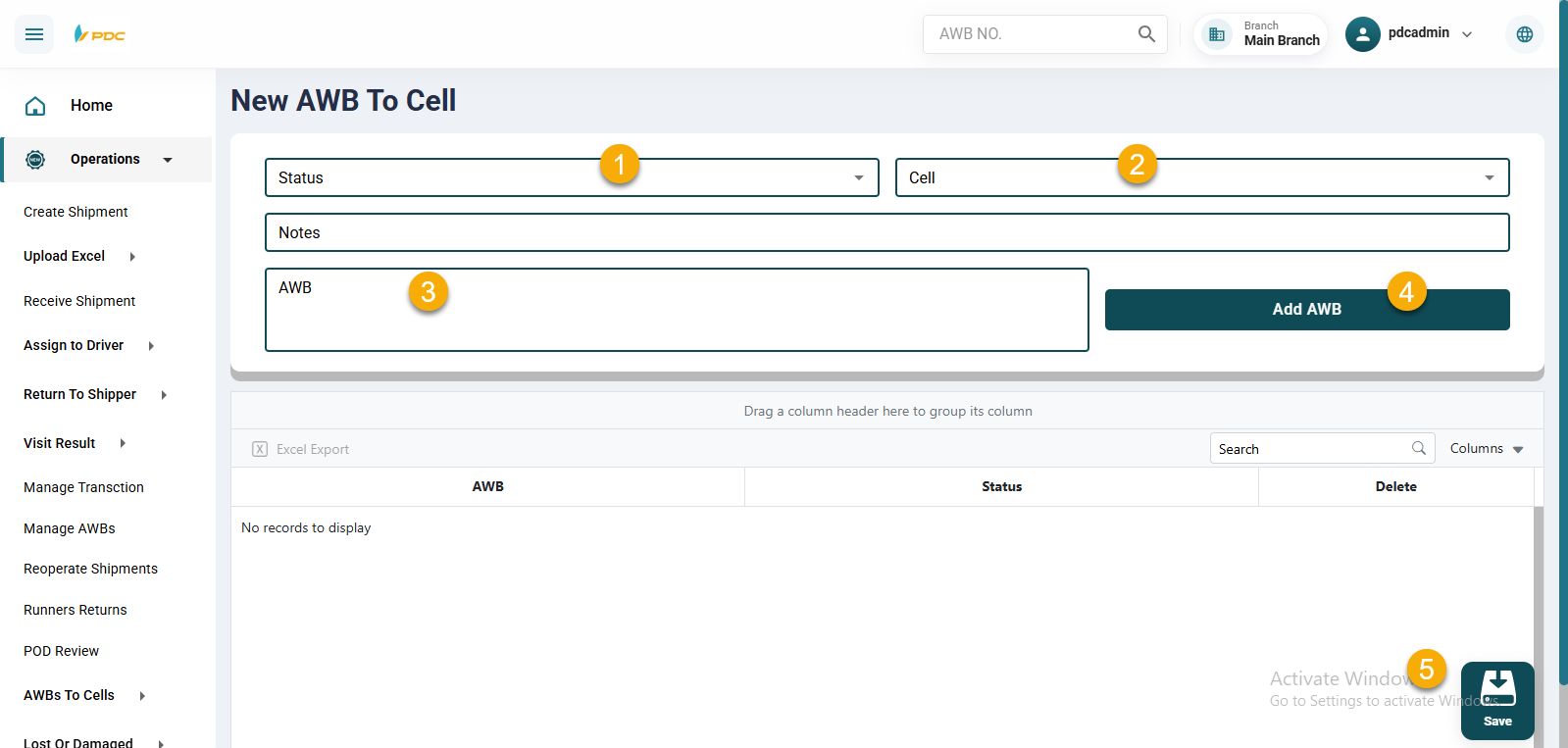
- Select the shipment status.
- Select the cell where the shipments will be stored.
- Enter the shipment numbers.
- Click Save to create the operation.
After saving, the system redirects to another page where the ongoing operations are displayed.
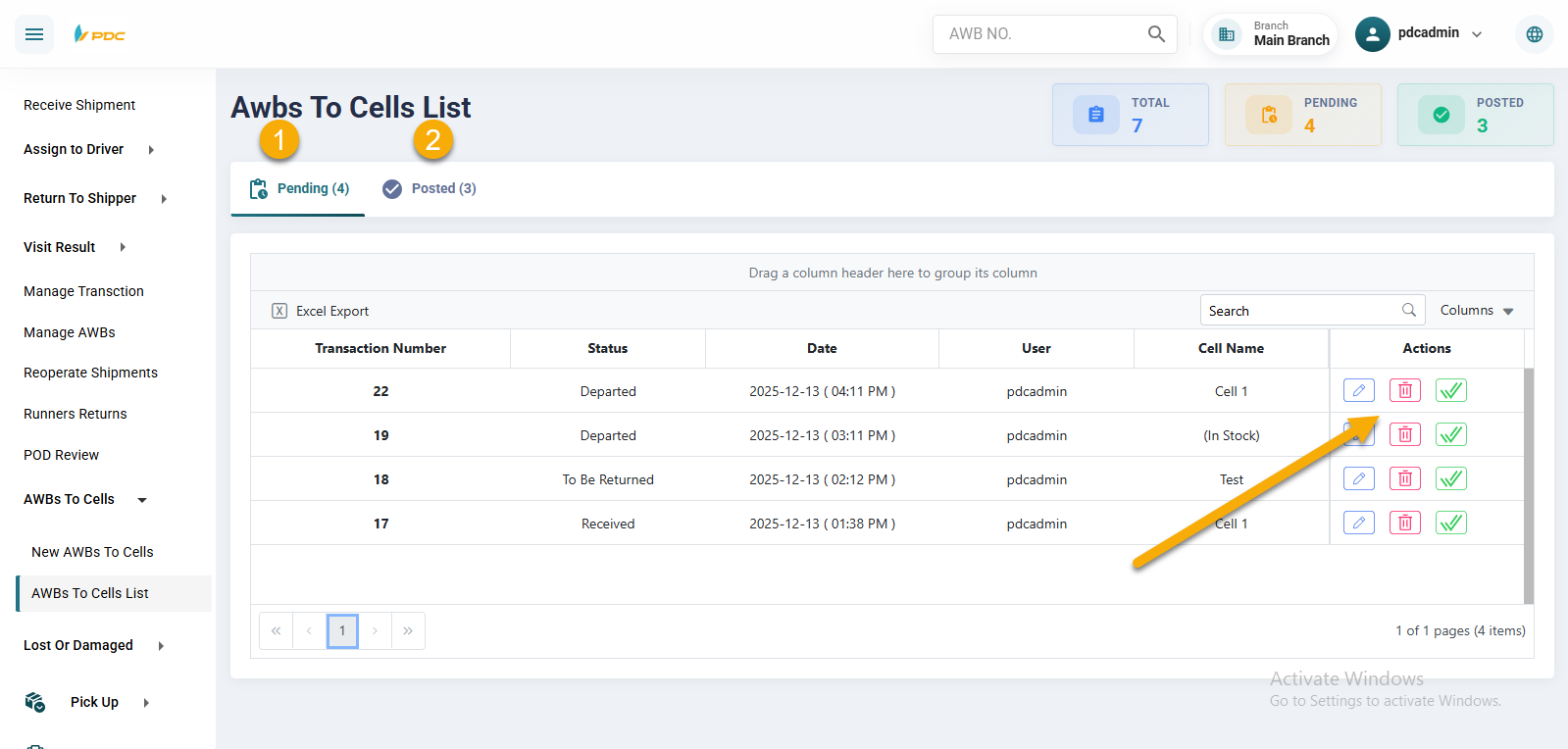
During this stage, the user can:
- Edit the operation.
- Delete the operation.
- Post (Transfer) the operation.
Once the checkmark (✔) is clicked, the operation is posted and confirmed, completing the shipment allocation process.