Edit Weight
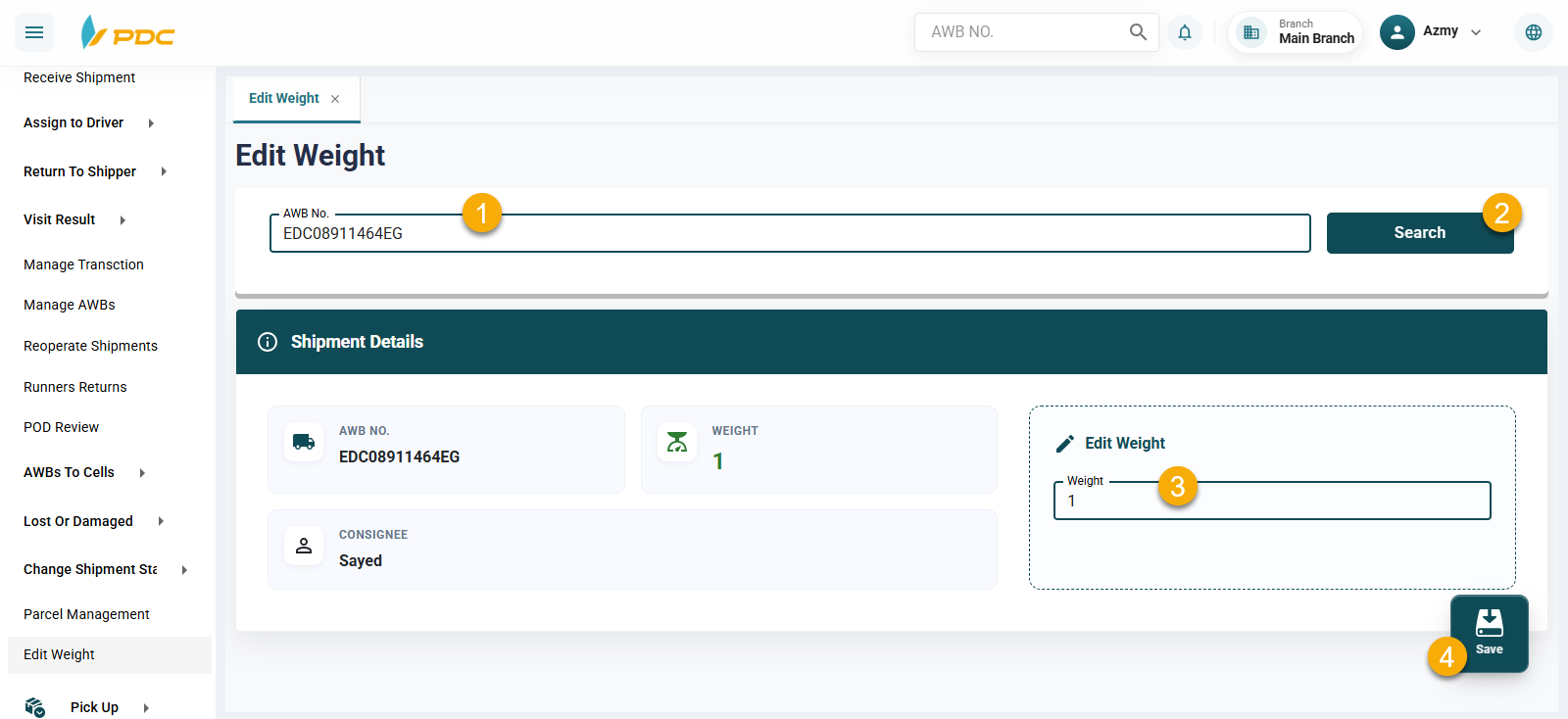
The ** Edit Weight** screen is used to update or correct the weight of a shipment after it has been created in the system.
This screen is particularly useful when a difference is found between the recorded shipment weight and the actual weight measured during inspection or processing. Updating the weight ensures accurate shipment data and correct shipping cost calculations based on the actual weight.
How to Use
- Open the ** Edit Weight** screen.
- Enter the Shipment Number (AWB).
- The system will display the shipment details.
- Enter the new shipment weight.
- Click Save to confirm the update.
Benefits
This feature helps to:
- Correct incorrectly recorded shipment weights.
- Ensure accurate shipping cost calculations.
- Keep shipment information updated with the actual weight.
- Reduce operational and financial errors caused by weight discrepancies.
- Improve the accuracy of shipment reports and analytics.
Once the changes are saved, the shipment weight is updated immediately in the system, and all subsequent operations will use the new weight.
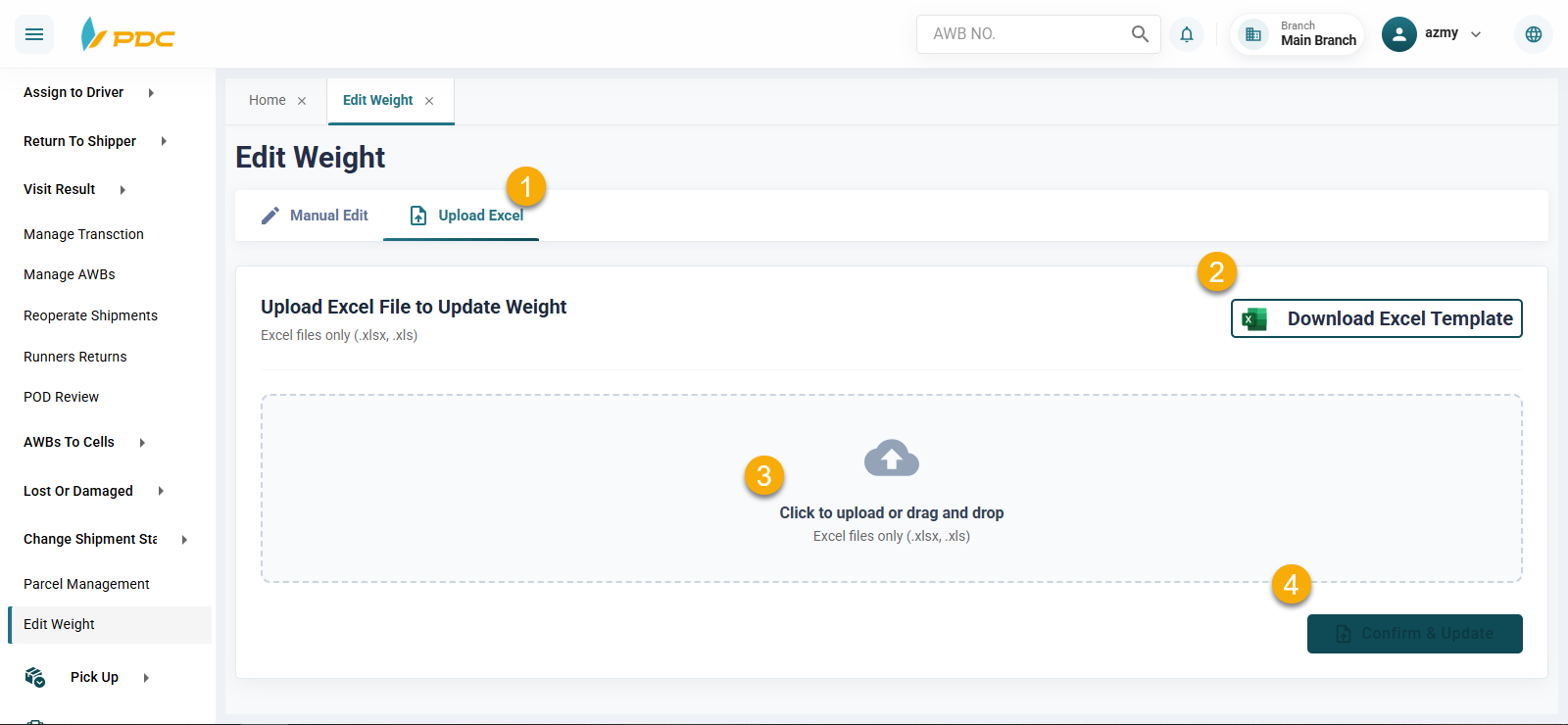
Bulk Shipment Weight Update Using Excel
The system allows users to update the weight of multiple shipments at once by uploading an Excel file, saving time and effort compared to updating each shipment individually.
How to Use:
- From the Weight Adjustment page, go to Weight Adjustment by Uploading Excel.
- Download the available Excel template from the page.
- Enter the shipment numbers and the updated weights in the Excel file.
- Upload the Excel file after entering the required data.
- Click Confirm and Update.
- The system will apply the updated weights to all shipments included in the file in a single operation.
This feature helps simplify and speed up the shipment weight adjustment process, especially when updating the weight of a large number of shipments at the same time.