Step 1: Download the Default Excel Template
Before you can upload any shipments, you must first download the official Excel template. This template contains all the required columns — without it, the upload process will not work.
Using the provided template ensures that your data is compatible with the system format and helps avoid common errors during import.
How to Download the Excel Template
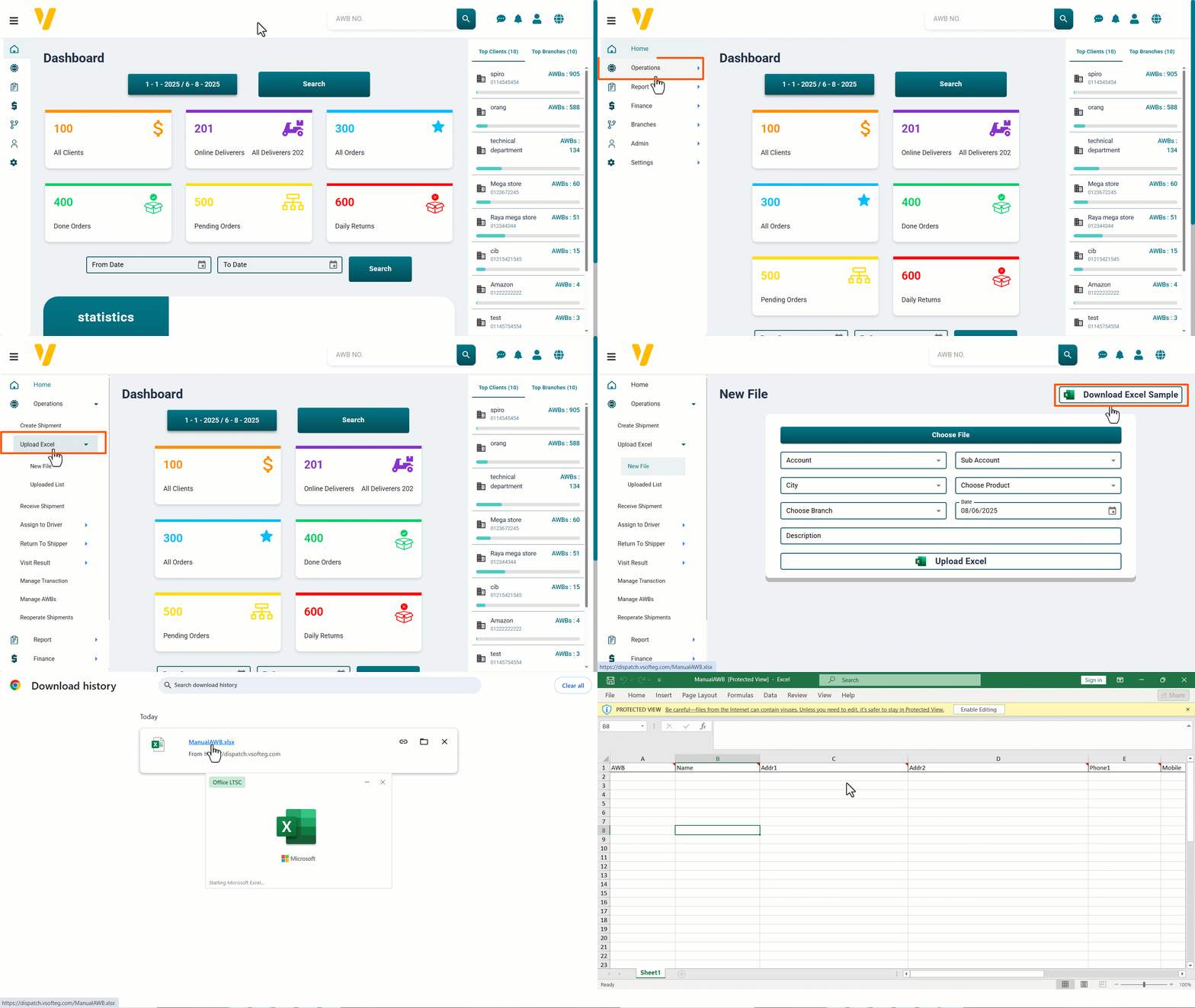
- From the sidebar menu, click on Operations.
- In the Operations menu, click on Upload Excel.
- Select New File.
- Click the Download Excel Sample button.
Result: A pre-formatted Excel file will be downloaded for you to fill with shipment data.
Note: Always make sure you are using the latest template to avoid missing any new required fields.